- Messages
- 369
How to Reinstate WinMail onto Windows 8/10/11 ..incl Server
Windows 7 users go: Here
..updated January, 2024..
Windows 7 users go: Here
..updated January, 2024..
 Warning
Microsoft no longer supports Windows Mail, aka WinMail. It's recommended you use another well known supported email client. Using WinMail on Win8 or especially Win10/11 is not supported, and is a special per-user decision who understands completely that reactivating WinMail is for Advanced users who importantly have the Technical Ability to make the changes, have backups of everything including your OS, and to be your own tech support for WinMail going forward. If you decide to complete this tutorial you accept the fact that you are using WinMail as-is. It might be necessary to uninstall other email clients to resolve any WinMail conflicts in some environments. Understand new Win10/11 OS updates from Microsoft Will Break WinMail's operation, and to fix makes it necessary to rerun the tutorial again to reinstate it. With those things in mind, this tutorial was written so that you can rerun it without affecting WinMail user data. Please see this Errata (Bug List) post before you install, to be aware of the current information about known issues using WinMail within Win8/10/11/Server, these issues are programmatic and in most cases cannot be resolved by this tutorial, and will never be fixed.
Having said all that disclaimer, if you have the technical ability, and can put up with the annoying minor by-product bugs, then like so many of us still enjoy using WinMail on Windows 8/10/11/Server ...ymmv!
Having said all that disclaimer, if you have the technical ability, and can put up with the annoying minor by-product bugs, then like so many of us still enjoy using WinMail on Windows 8/10/11/Server ...ymmv!
..The default language of this tutorials install is English..
Time Line Notes:
(click this spoiler button for details)
 Information
Important valuable information gathered from along the way over the years, detailed and noted here for reference:
(..don't consider this just mundane information, and better to use this information preemptively so it can save you from very difficult circumstances; otherwise after the fact when it's too late but you'll see it outlines your exact problem. The information is extremely helpful insight with the answers..)
Note: 2012 ..if you run SFC /SCANNOW on Win8/Win10/ (incl Win11) /Server (not Win7) ..most times it Will Break WinMail's operation each time you run it since it also overwrites many of the necessary files within your Windows Mail folder. Also know if you update from Windows 8 to 8.1 and especially Win10/ (incl Win11) /Server, as well with doing many major MS updates that come along, they Will stop WinMail from working by overwriting many of the needed WM programs folder files, etc, change permissions, etc; but no problem, just run through the complete tutorial process again which will put back in place anything that was broken.
Note: 7/2016 ..if doing a repair, then before proceeding, *** to clear any errant instances of WinMail.exe still running: reboot, or 'end task' on WinMail.exe ..iow, if doing a repair on WinMail because it won't start after an update, and you had been clicking WinMail.exe numerous times to open but it wouldn't - then be sure to reboot Before you start the repair to Clear any errant instances of those WinMail.exe that are still running (there can be many) ..or instead of rebooting you can open Task Manager and 'end task' on any/all running instances of WinMail.exe - in any case do it Before you proceed to delete/replace the program folder. The point is you can't (it won't let you) delete it if any instance of WinMail.exe is still running.
Note: 1/2018 ..starts Post #2 procedures which are ONLY for newer Win10 (incl Win11) versions - see Step 11 for its requirements
Note: 2/2018 ..for Windows 10 latest builds v1709+ (incl Win11) or Server 2019+, it is to know that after installing Updates and it breaks WinMail, you will have to re-do All The Steps on Post 1 & Post 2 again - trust me here, it's just faster/easier doing the complete way in the long run! You see, some updates delete/change a few files and registry entries, while others do it much more aggressively removing most all WinMail files and code, and so it's Much Quicker, More Efficient, Complete, and all inclusive to just run the entire procedures again to catch/fix all changes at once! A fresh install of Win10 1709+ now Requires both Post 1 & 2 anyway ..Feel Confident no matter how many times you run this Tutorial, its files and procedures were specifically made to Not change any current_user settings or message store, and so nothing of that will be touched. When you're familiar with doing the procedures, you'll be able to do it all in just a few minutes!
Note: 7/2019
The latest Updates/Upgrades of Windows 10, v1903+ (incl Win11) ..Will Further Break WinMail !!!
Because of the latest Win10 (incl Win11) updates/upgrades causing so many MSF corruptions lately - everyone should create a Full Backup Now while you have it working but especially Before You Upgrade! Not only will the Upgrade process remove most of the code that supports WinMail operation, but if you have an existing working WinMail setup present, it will now also corrupt your MSF (Message Store Folder) which contains all your past emails, overwriting accounts info, etc.
This is why it's Imperative that you First create a WinMail Backup 1, 2, 3 of the Backup/Restore procedures while it's fully working ..in order to have the Restore opportunity to perfectly recover from it when broken; also having even more transferable benefits.
For Windows 10 users who Upgrade builds over an existing one on v1903+ (incl Win11) ...as we should always Do Once A Month Anyway but Especially Before Any Installs or Upgrades - is to First Create a WinMail full Backup 1, 2, 3 using the Backup/Restore Procedures given in its spoiler below. Recently many people with their WinMail client working well, had upgraded to new Windows 10 (incl Win11) builds, and after going through the initial WinMail tutorial afterwards to re-instate WinMail, only to find their existing WinMail message store was left corrupted from the 'upgrade process itself' experiencing various errors, or the Save, Send, or Receive error message prompts 0x800C013E or 0x800C103C similar to these screenshots shown here:
(click this spoiler button for details)
Or
Or
Or...
The easiest fix to resolve any of these errors above (after you run though the initial procedures in Post 1 & 2 again to reinstate WinMail) is to take the known working full Backup 1, 2, 3 you've previously made, and perform a full Restore 1, 2, 3 of it ..and you'll be back up and running again in minutes. Note: The procedures details matter with this! Understand that this Restore is only as good as its Backup, so you must already have a previously fully working Backup 1, 2, 3 made in advance (zipped for incidental corruption protection). Realize the backup must be properly and fully working first, and properly created ..and of course must be properly restored, correctly.
If a Restore does not work, simply said, you did not do it correctly according to the instructions in one way or the other, before, or after. Refer to the spoiler 'Backup/Restore Procedure 1, 2, 3' below for full instructions and information.
One final note for everyone about this issue, don't mistake Send/Receive errors specifically related to not having your Accounts> Properties> Server & Advanced tabs not filled in properly, with Message Store Corruption Send/Receive errors ..of course these Account setup errors are a different issue.
When first setting up your Accounts, Everyone needs to check with and follow their Own particular Mail Server setup instructions given for these settings, and each company whether it be Comcast, Yahoo, Gmail, etc, each seems to be different in one way or another - so be attentive; and also whether you use IMAP or POP.
Note: 10/2021
To the generation of WinMail users who want to still use WinMail on Windows 11 (or even on Windows 10) ..We all should remember that WinMail is from 2006 technology, so there should be a thoughtful knowledgeable reason for an Advanced user to still use this going forward, and who has all the technical and security circumstances in mind, and understands them. In other words this is not just for the average person to use going forward for Windows 10 and Windows 11 Operating Systems. Using WinMail is only for Advanced users who have their own special reasons to use it, but most importantly they have advanced computer abilities and a full understanding around all possible technical circumstances from a to z in doing so.
____________________________________________________________________________________
fwiw, before running this tutorial I've always temporarily disabled UAC, and the latest versions Windows Defender, just so as not to be bothered by any unnecessary nuisance prompts, but of course ymmv. I use a different AV anyway..
Caution: The Win7 Tutorial procedure will Not Work to reinstate WinMail on Win8/10/Server, or vice-versa!
Do not use the attached WinMailEdit.reg here with the one given in the Win7 Tutorial either because it's only for Win8/10/11/Server! ..if you do then during first install you'll lose SFC usage protection from breaking Win7 WinMail.
Use each tutorials own install procedure for the OS that it's posted for! Only the Backup/Restore Procedure is the same for all.
Warning: Besides Windows 8, if you're keeping a Windows 10 version Before v1709 or Before Server 2019 installed for your use, then Do Not Use Any Post 2 Procedures or any of its Attached Files or it will irrevocably break your WinMail installation and to recover that - would require a System Restore (or other) to reset. In conjunction with Post 1, Post 2 is additionally used Only for Win10 v1709+, Win11+, and Sever2019+ users, only!
<tidbit> If there are any Win10 v1703 users out there who still want to stay on v1703 in its older build b16193 or earlier (i can't imagine anyone but just in case) ..understand you can't upgrade past its b16193 point or it'll break WinMail's operation: see spoiler below "Circumvented Info 6/2017"; if however you specifically want v1703 but want to install its latest build (beyond b16199) you still can, but besides post 1 you'll now need to also include post 2 procedures to fix it. Note: in the tutorial to avoid any confusion with these v1703 build specifics, instead of listing v1703_b16199+ ...I just list it as v1709+
Note: Anywhere in the tutorial that there's a + after a version number, indicates it also includes all versions beyond that one; for instance, when it says v1709+ means v1709, 1803, 1809, 1903, 1909 and so on. Same with Server 2019+
Important WinMail Backup/Restore Procedures! A Must Read!
(click this spoiler button for details)
InformationWinMail Backup/Restore Procedures
Do yourself a big favor right now - First, Create Backups!
It's imperative that you first create a Backup while you have your setup fully working, Before you do a Windows Update or Upgrade! It will prove to be of ultimate benefit going forward, because your WinMail Message Store Will Get Corrupted! ..and this 1, 2, 3 method below will be your only way to easily recover and restore it!
The reason for these backups is three fold: To easily repair/recover from a random WinMail caused corruption, or an OS upgrade that caused WinMail message store corruption or other corruption, or, importantly to be able to easily restore or transfer your perfectly working WinMail setup between the same, or from a previous build or OS version to a new one. And so Always create this full 1, 2, 3 backup procedure BEFORE you upgrade! Always have it ready to go! ..which enables you to always be ready and able to efficiently and easily recover from any WinMail mishap!
You create a backup After you already have WinMail fully setup with all options and settings the way you want, all Accounts and their settings, all Emails, all Newsgroups, and all their Folder structures, all your GUI settings, etc. So before you upgrade or do anything - be sure to create this WinMail full 1, 2, 3 backup for safety, so that you can always easily recover from any message-store corruptions or whatever happens; or you can also Restore or Transfer your entire WinMail setup to same, or another computer, or to different OS's right back to Exactly how it was on the source the day you created it, without the need for 'importing' which never gets things like folder structures right anyway.
This is a direct backup, and assumes you're using the default message store location folder.
There is nothing more comprehensive and completely accurate than this next manual Backup/Restore procedure.
Please be sure to have read in the previous Time Line spoiler, Note: 7/2019, and in general realize just how important it is that you always have available a recent Full Backup of these Backup/Restore procedures below, and the consequences if you don't with lost mail data - I can't impress upon everyone enough of how important this is going forward!
The only time you create a Backup is on a Fully Working WinMail setup. A Restore is done anytime After you've finished the reinstate procedures for your OS version, either after the main Step 12 or Step 15 depending on OS version; and anytime thereafter.
Create Backups:
Note: *Assumes your Windows Mail Message Store Folder (MSF) is in its original default location:
%USERPROFILE%\AppData\Local\Microsoft\Windows Mail
(If it's not there, change it back to default, and check to see all is working and in order, before continuing please)
1. On your previous but up to date 'Already Fully Setup' and has been 'Fully Working' WinMail client (normally already full of your previous emails, newsgroups, and accounts) ..simply right click on and create a zip of this Message Store folder:
C:\Users\yourcomputername\AppData\Local\Microsoft\Windows Mail
..also referred to as: %USERPROFILE%\AppData\Local\Microsoft\Windows Mail
It contains All Mail/News emails with All your individual Folder Structure layouts created, All Accounts info**, and more..
The important reason to .zip the MSF (Message Store folder) ..is to preserve it, Always having it readily available to restore, as is, able to unlimited times unzip its pristineness; never allowing any function ever able to modify its valuable contents.
2. Regedit: right-click Export this entire Folder Key below: (on your WinMail that's already fully setup and options done)
HKEY_CURRENT_USER\Software\Microsoft\Windows Mail
It contains All Settings for the WinMail GUI Layout ..all Tools> Options Settings, Columns, Rules, etc.
3. Open WinMail, go to Tools> Accounts> and highlight Each Account and click the Properties button, click the Servers tab, and write down or better yet copy/paste into a text file the username & password - Do This For Each Account! ..Everything else throughout all accounts settings there, already gets saved automatically in step 1 above when creating the MSF backup.
Tip: If you forgot your password and want to reveal what's behind the xxxx asterisk bullets, use This Program to reveal them.
Now save all Three of these backups above aside - to somewhere other than your current hard drive..
To Restore:
When you do a fresh install of a new Windows OS, or an OS Upgrade, or OS Update, and then to setup WinMail again afterwards you First run through all the appropriate steps on its corresponding OS WinMail tutorial, in order to reverse the WinMail regression done. Then before opening WinMail - restore those 3 items you've previously created above, like this:
1. Delete the Windows Mail MSF (Message Store folder) that's currently there, then extract the zip of your Latest saved MSF in its place - Be Careful when you Replace the Current Windows Mail MSF: ..first you Delete it, then extract your zip backup one in its place - also understand it needs to be at the Exact Path! You can select to Extract Here, but no matter what just Be Sure you Do Not end up with Two nested: "Windows Mail\Windows Mail" MSF folders one inside the other, breaking default path and eventually corrupt. The Windows Mail MSF path here, must be this:
%USERPROFILE%\AppData\Local\Microsoft\Windows Mail
Do Not extract/copy/paste the MSF on top of itself or its contents, which causes additions, mixing, and sure corruption, so understand you need to Delete the old folder first, then, place the working backup one in its place! That's So Important!
2. Merge the latest saved registry export of your personal HKCU reg saved above. (double-click, or, right-click on reg and select merge)
3. To complete** the last item of the Accounts restore, security, after opening WinMail you only need to re-enter the name/password of your mail and news servers. Go to Accounts> Properties> Server tab, and there enter them in the slots for it, and is the preferred way (or instead when you first connect to your mail server it'll prompt you to enter them, but don't forget to check-mark the Remember box) You should know what your servers name/pass are anyway having them saved in txt file somewhere. **(Everything else within the Accounts settings, gets restored with step 1)
This 3 step Backup/Restore process is many times faster and much More Accurate than any other method, matching its complete source layout so that when you open WinMail, Everything, is already setup Exactly like its source in every detail, fully setup with All Emails, Accounts, Settings, complete WinMail client GUI layout, including exact mail folder structures layout, etc.
Obviously 'Always' keep your backups dated very current!
Last Resort:
If however you Did Not
 make or have a backup available to restore (Don't Let That Happen!) ..especially for Windows 10/11 and you have WinMail message store corruption errors of any kind as outlined in the Time Line spoiler Note 7/2019, or Other.. ..then as a last resort, in order to remove the message store corruption without that important backup: Close WinMail, and you'll need to 'Delete' the message store folder. Now when you start WinMail 'Without' one, it will create a brand new message store folder from scratch, everything set default, new xxx.oeaccount numbers, and all empty folders ..and unfortunately you'll now need to proceed the long way around to set WinMail all up from scratch again... ...However...
...click this spoiler button for other restore possibilities:
Other last resort (but good methods) to recover MSF data from could also be:
..If you were geek enough to have previously saved a full Partition Image backup of your C:\ Partition at some point in time, and it had WinMail working on it, then a good choice is you can either just copy its 'dated' MSF out and use that if necessary; or, you have the option to do a full Partition Image restore with it, which lets you start with it working from its particular dated time-stamp.
..or..
You also could try the limited Windows built-in Restore Point method, if enabled, will give you limited days and chances to possibly restore back to how it was before you started your Win10/11 'Update' (but it will not restore from a full Win7 to Win10/11 'Upgrade' though) ..and only gives a few dated restore points to choose from, which fall off the list with time And with each one used - and so on your first try be sure to choose the time-stamp date that's a full day 'Before' it broke! Anyway this is why Partition Imaging is far superior to Restore Points as it has No Limitations.
..If you were geek enough to have previously saved a full Partition Image backup of your C:\ Partition at some point in time, and it had WinMail working on it, then a good choice is you can either just copy its 'dated' MSF out and use that if necessary; or, you have the option to do a full Partition Image restore with it, which lets you start with it working from its particular dated time-stamp.
..or..
You also could try the limited Windows built-in Restore Point method, if enabled, will give you limited days and chances to possibly restore back to how it was before you started your Win10/11 'Update' (but it will not restore from a full Win7 to Win10/11 'Upgrade' though) ..and only gives a few dated restore points to choose from, which fall off the list with time And with each one used - and so on your first try be sure to choose the time-stamp date that's a full day 'Before' it broke! Anyway this is why Partition Imaging is far superior to Restore Points as it has No Limitations.

To save yourself all this effort, and lost mail, etc ..simply follow the 1, 2, 3 Backup & Restore procedure as outlined above. Create and maintain a recent Full Backup 'in advance' to always have it ready to go!
 ..Whether it be for MSF corruption recovery, or for transferring your WinMail setup to another OS! ..it takes just a few minutes to create them, and when needed (you will) ..it takes just a few minutes to restore saving you so! much! hassle! - it can be a real lifesaver!
 There is nothing more comprehensive and completely accurate than this manual Backup/Restore procedure.
Obviously the MSF restore procedure Will Not transfer properly if your Source setup already has corruption. Your MSF folder must be fully working properly at the time you make a backup of it!. *A restore may also not work correctly for those who have moved their MSF from its default location to another - and so don't move it!
 Note
NoteThese above 1, 2, 3 'WinMail to WinMail' Backup/Restore Procedures only, applies to all: Vista/Win7/Win8/Win10/11/Server, and a working (MSF) Message Store Folder and its HKCU (..!when done as directed!..) ..can all be exchanged/transferred back-n-forth from one OS to the other it makes no difference - I do it all the time and works flawlessly! ..it's a wonderful, helpful, easy, process!
>>> To protect WinMail on Win10/11 you can decide to have control over when Windows Update is able to run - see Post 5 <<<
_________________________
Extra Notes:
~ I realize at the bottom of this tutorial there is also a related tutorials link for a (2007 Vista Version) Import/Export Backup and Restore article, which is best for older non-Microsoft mail clients. It can be used for WinMail although it's not nearly as good or complete as this 1, 2, 3 method above which again is specifically for 'WinMail to WinMail' setups = I Much Prefer the 1, 2, 3 method for a number of beneficial reasons already discussed throughout!
~ On Win10/11 upgrades especially, do not use the old import/export .iaf account file method!..
..click this spoiler button to see why:
On Windows 10/11 upgrades especially, do not use the old export/import .iaf account file methods - it cannot fix the MSF corruption that happens from the Win10/11 upgrade process itself, but if used furthers that corruption by mixing old xxxx.oeaccount info into a 'Before and After' upgrade conflict where erroneous accounts info gets added.
Use the full 1, 2, 3 Backup/Restore procedure above instead assuring to prevent/circumvent those problems, and more!
For one thing an export .iaf file contains info for one account only and so you need to create one for each account, if you have 15 accounts you'd need to export for each one but that's not the real problem ..iaf files contain and export more than just name/passwords, they also export other associated xxxx.oeaccount info, and so when MSF accounts gets corrupted from the upgrade process itself, you further corrupt it by mixing now non-compatible .iaf account info that's not able to rectify corruption caused by the upgrade process itself - either way though, WinMail will not operate properly..
..So, to properly revert MSF corruption after an upgrade, only use the 1, 2, 3 Backup/Restore procedure above. The Restore process will restore EVERYTHING proper all at once, in perfect order, exactly how it was the day you created it!
Use the full 1, 2, 3 Backup/Restore procedure above instead assuring to prevent/circumvent those problems, and more!
For one thing an export .iaf file contains info for one account only and so you need to create one for each account, if you have 15 accounts you'd need to export for each one but that's not the real problem ..iaf files contain and export more than just name/passwords, they also export other associated xxxx.oeaccount info, and so when MSF accounts gets corrupted from the upgrade process itself, you further corrupt it by mixing now non-compatible .iaf account info that's not able to rectify corruption caused by the upgrade process itself - either way though, WinMail will not operate properly..
..So, to properly revert MSF corruption after an upgrade, only use the 1, 2, 3 Backup/Restore procedure above. The Restore process will restore EVERYTHING proper all at once, in perfect order, exactly how it was the day you created it!
~ When you reinstate WinMail and are 'Not' using the Backup/Restore procedure and you have another message source, do the rest of the tutorial which starts a fresh WinMail and sets it up from scratch - then if needed because of a non-WinMail mail client message source, you can use the built-in import features (only supports some older clients) ..it's not as good, but sometimes better than nothing if it's your only choice. Otherwise simply start a fresh slate from scratch with your first email, etc.
______________________________________________________________
Win8/10/11/Server x86/x64
Reinstate WinMail: (Please understand everything on these posts is for advanced computer users only)
1. If this is a fresh install and you 'do not' have any previous 'working' WinMail setups that you want to bring forward, then you can skip this and go to step 2. Otherwise it's Imperative that Anyone who has WinMail fully working and wants to Preserve its footprint, being able to restore/recover/transfer it "as is," Especially Win10/11 users your message store will get corrupted during upgrades and this is the only way to restore it, then Before proceeding to Upgrade your OS you must Preserve Everything by First creating a full 'Backup' of the Backup & Restore procedure. Read the Backup/Restore Procedure 1, 2, 3 spoiler above for full information on when, why, and how to do that. !
2. Go to Folder Options, and set these settings as shown in my screenshot below: (click this spoiler button to see screenshot)
When finished if you prefer, you can put the settings back; I personally leave it, ymmv
4. Then right click on your "Program Files\Windows Mail" folder and click Take Ownership...
..always using "Program Files\Windows Mail" folder only! ..x64 users Never touch/use that other folder there called: ''Programs Folder (x86)'' !
5. Then right click on your "Program Files\Windows Mail" folder, and Delete it ***(see Time Line Note: 7/2016)
6. Then extract, and copy/paste the attached, x86, or, x64 'Windows Mail' folder in its place... (match your OS bit)
All the Correct files needed are Attached at the bottom of these posts to download - confirm and match your OS bit, x86 or x64; you cannot mix files from one bit into the other!
7. Create a shortcut from the program folder 'WinMail.exe' file you just copied there - to the Desktop (use to start WM 'After' you're all done)
8. extract, copy/paste the attached "msidcrl30.dll'' file over to "C:\Windows\System32\msidcrl30.dll'' (again match your OS bit)
9. extract, merge the attached WinMailEdit.reg (..this reg is for both x86 and x64)
10. extract "Update_5-2018.zip" (bug fix) copy/paste revised msoe.dll to WM programs folder (thanks dadreamer for your work on this and its reg)
(click image to open full size)

(anywhere in the tutorial that there's a + after a version number, indicates it also includes all versions beyond that one)
12. You are done..
~ Start WinMail and she opens immediately...
...from here you setup the Windows Mail client as normal...
(click this spoiler button for more MSF Restore info)
For those users who already had WinMail working great on another computer setup, and have done a new fresh OS install elsewhere; or have bought a new computer; or have updated their OS, etc, and want to transfer their current or other working WinMail MSF (message store folder) setup, GUI layout, settings, etc, completely 'AS IS' to their new computer setup (or even same setup) ..please go back and fully read and understand the full 'Backup/Restore Procedure 1, 2, 3' spoiler information above on how to do that.
You can do a MSF Restore at anytime After you're finished with your initial WinMail re-instate procedures for your OS version, which is either after Step 12, or Step 15 depending on OS version, or anytime thereafter.
You can do a MSF Restore at anytime After you're finished with your initial WinMail re-instate procedures for your OS version, which is either after Step 12, or Step 15 depending on OS version, or anytime thereafter.
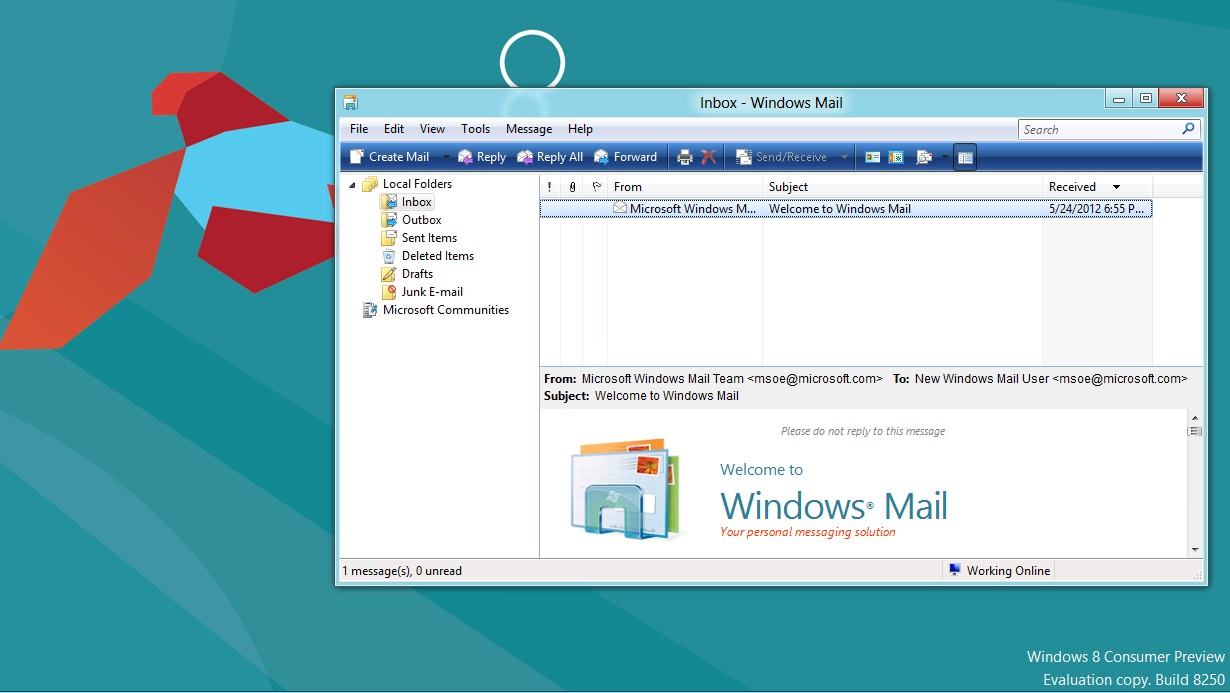
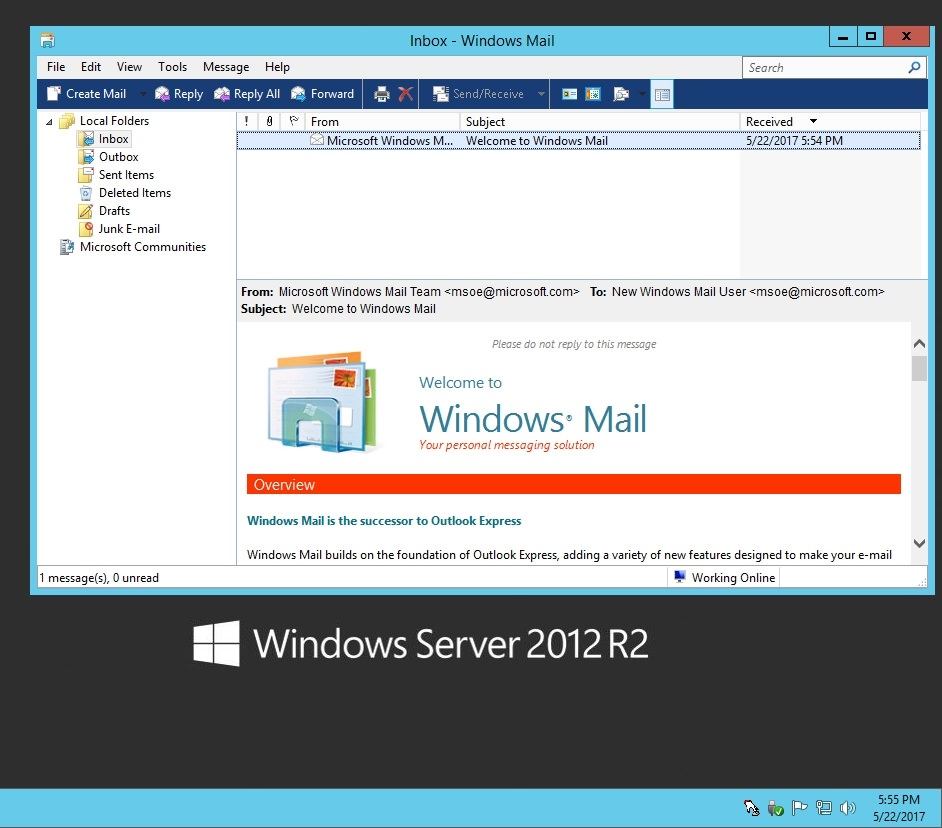
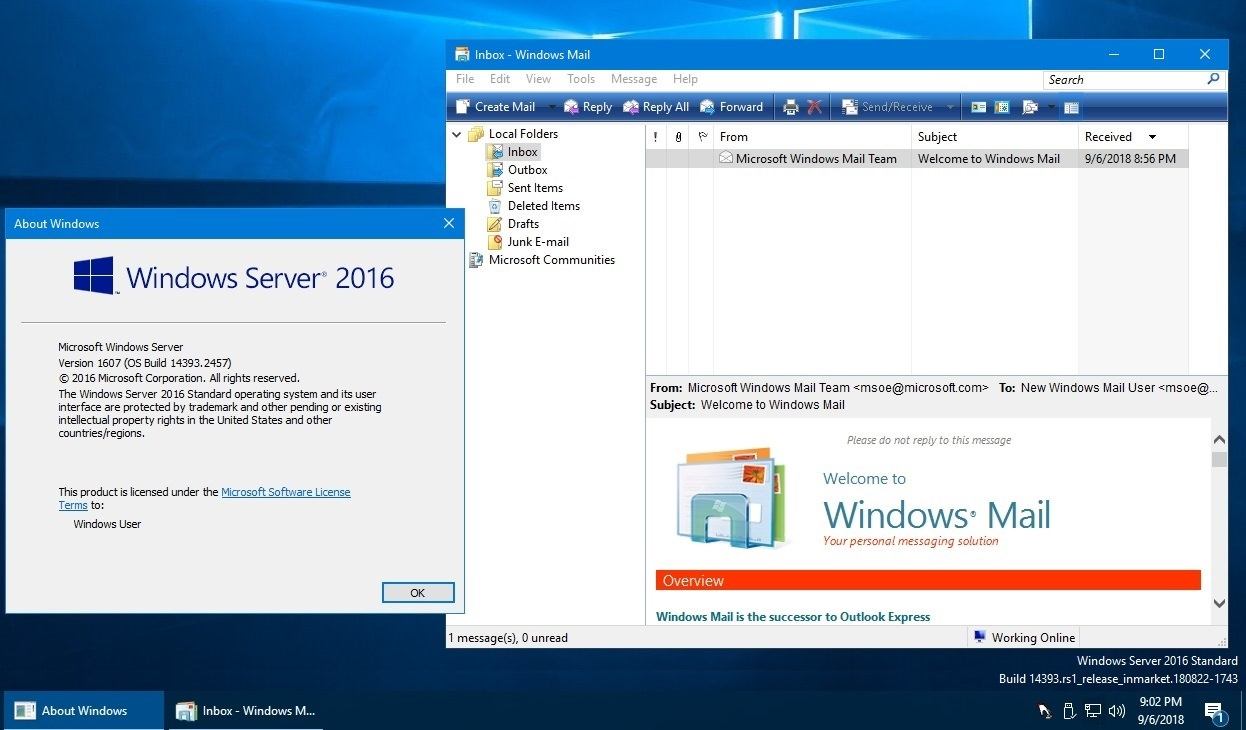
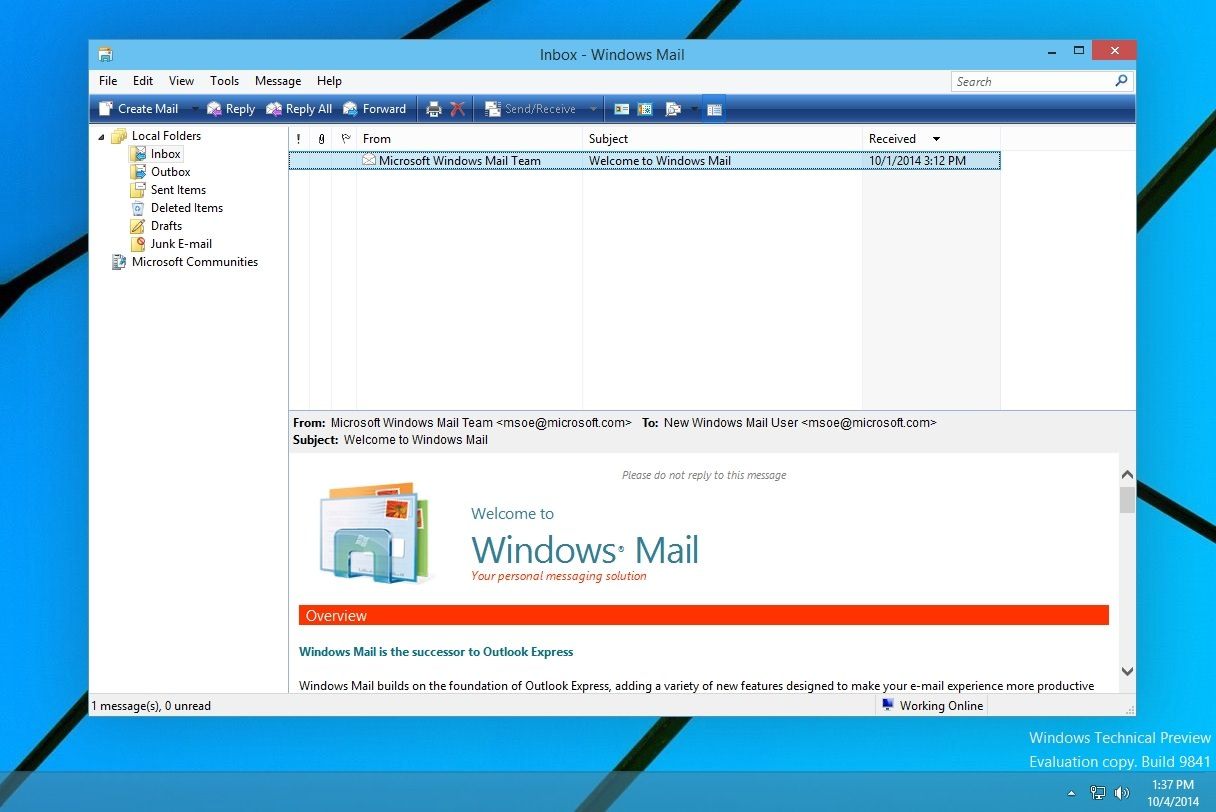
After correctly doing steps 1-12, I had WinMail start up within minutes on each of these OS's as shown below..
..installed/tested on both x86/x64
Here's the first open WinMail screenshots I made in 2012 using it on:
Win8 beta CP, then to Win8.1 Pro, Server 2012 R2, Server 2016
(click this spoiler button to see all these OS screenshots)
(click any images to open full size)
Windows 8 Consumer Preview, 2012
Windows 8.1 Pro, 2013

Server 2012 R2
Server 2016
Windows 8 Consumer Preview, 2012
Windows 8.1 Pro, 2013
Server 2012 R2
Server 2016
_________________________________________________________
Here's more WinMail screenshots made on the first:
Win10 Preview, then to Win10 pro v1507, v1511, v1607, v1703_pre-b16199
(click this spoiler button to see all these OS screenshots)
(click any images to open full size)
Win10 Technical Preview
Windows 10 v1507, b10240

Windows 10 v1511, b10586
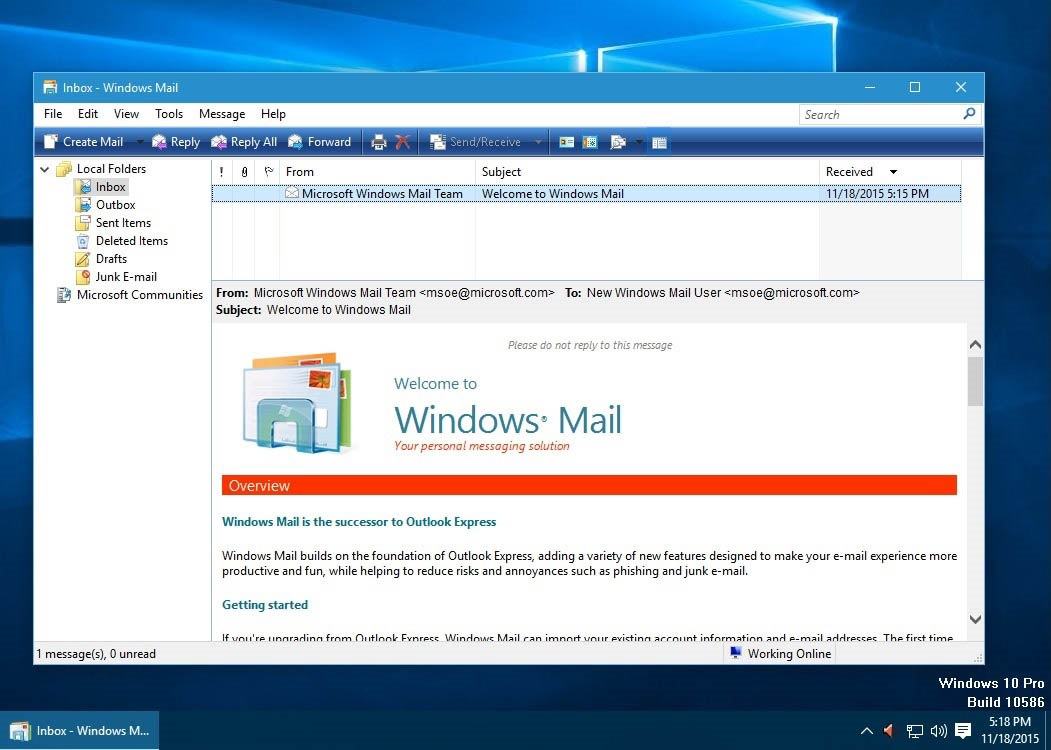
Windows 10 v1607 b14393
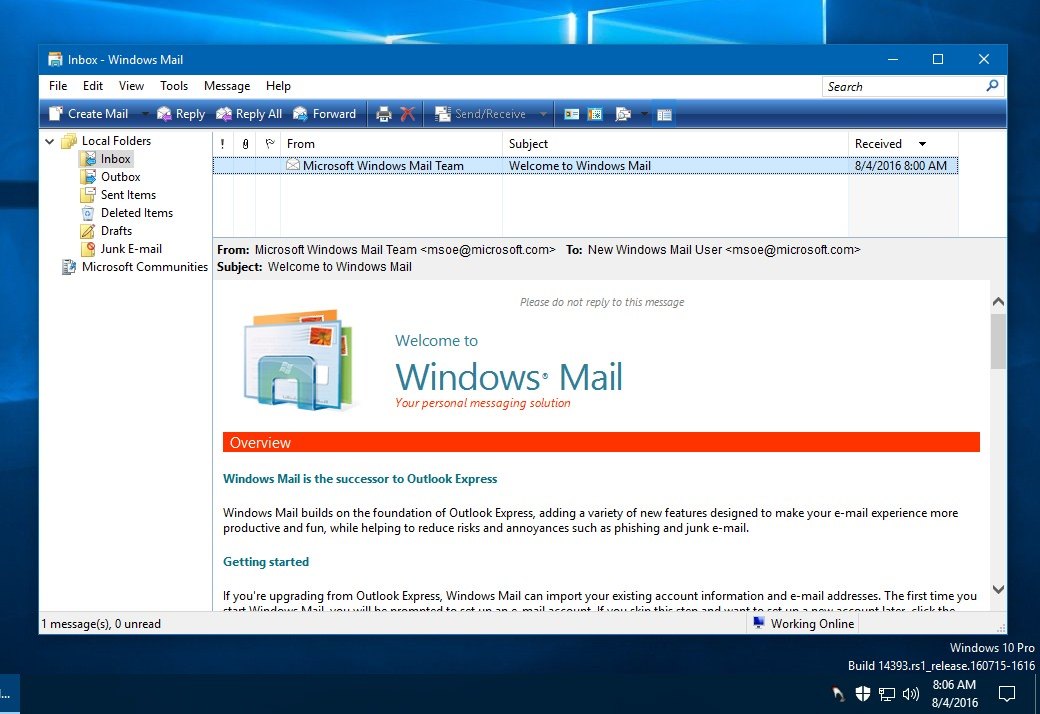
Windows 10 v1703, b15063
(For more info about staying with this particular version, go back and see spoiler "Time Line Notes" and look under "<tidbit>")
..anything beyond b16199 with v1703 here, also requires post #2 procedures to fix it.

Win10 Technical Preview
Windows 10 v1507, b10240
Windows 10 v1511, b10586
Windows 10 v1607 b14393
Windows 10 v1703, b15063
(For more info about staying with this particular version, go back and see spoiler "Time Line Notes" and look under "<tidbit>")
..anything beyond b16199 with v1703 here, also requires post #2 procedures to fix it.
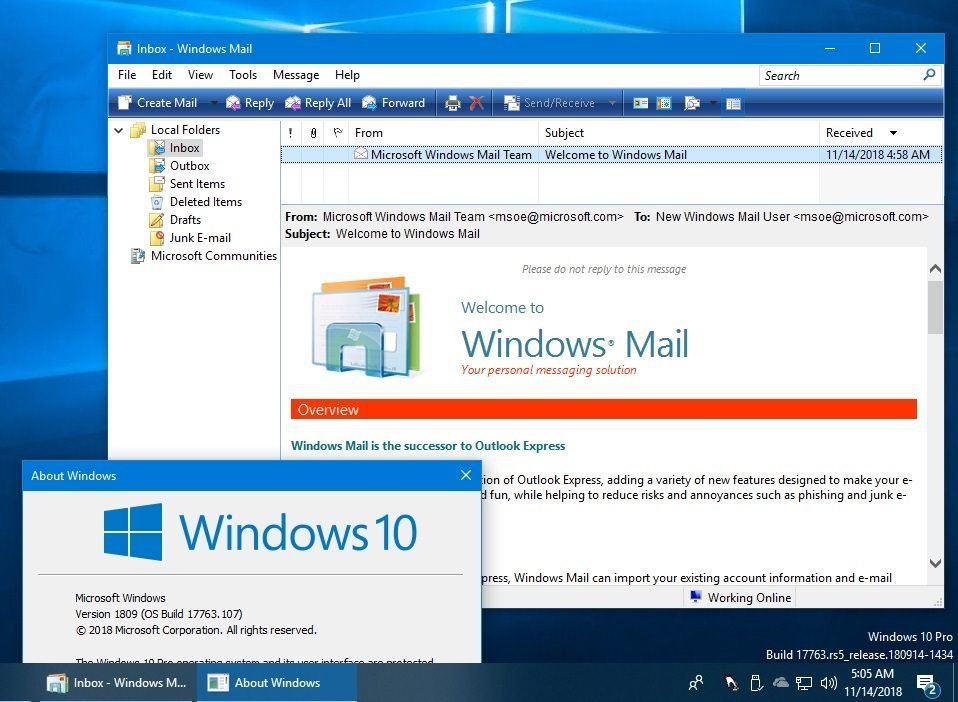
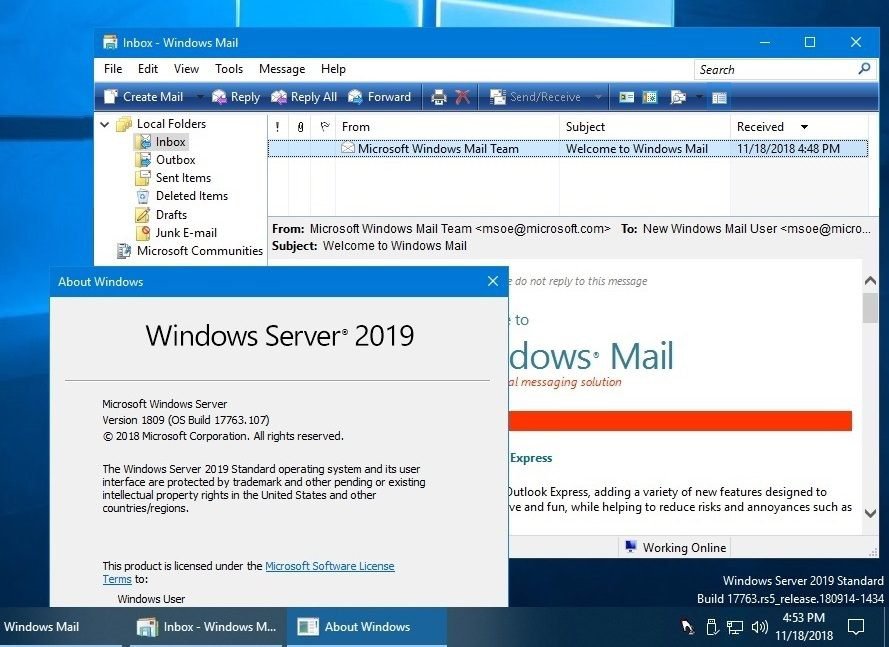
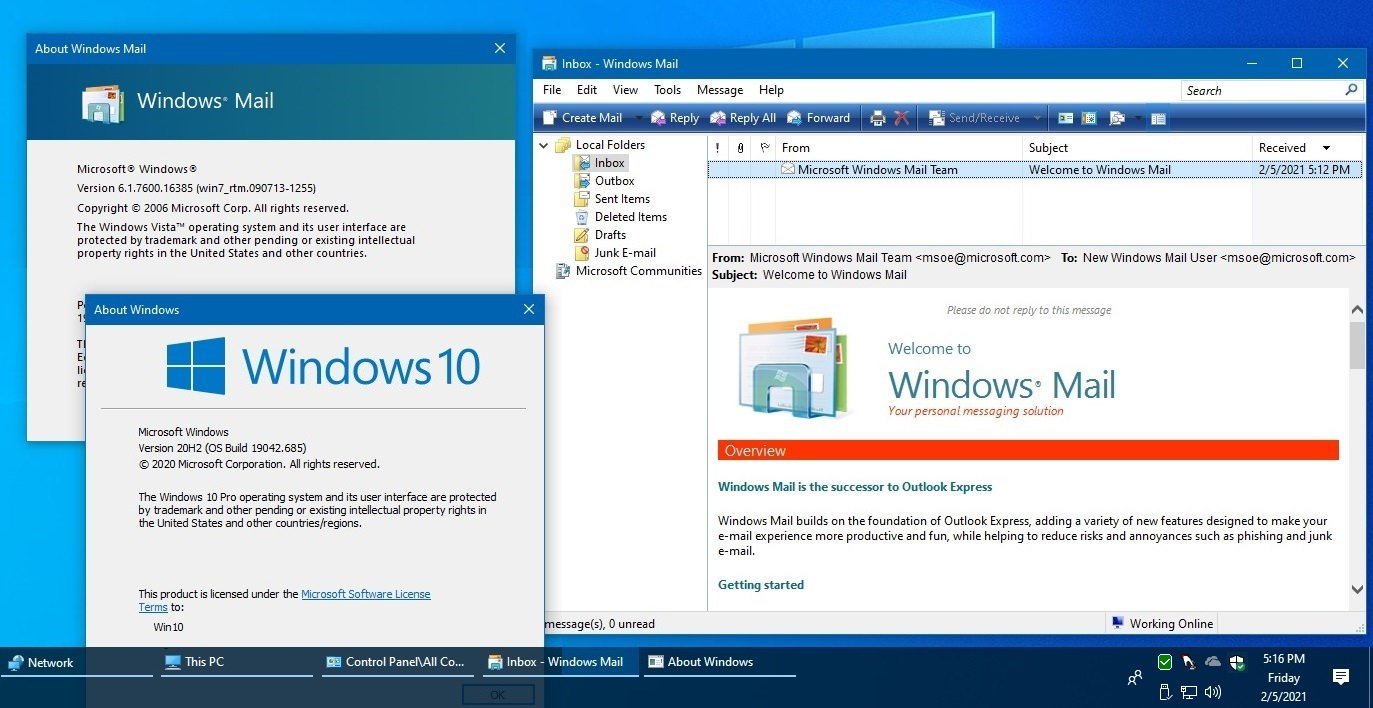
All new screenshots for newer versions of Win10/11/Server will now be put in Post #2
________________________________________
(click this spoiler for more info within)
_____________________________
For using WinMail on Win10 v1709+ incl Win11 ...see Post #2 for more information
All new procedures & screenshots for newer versions of Win10/11/Server will now be put in Post #2
_____________________________
(click this spoiler for more info within)
6/2017
Microsoft has removed the OE legacy code of WinMail, see within article here:
Features removed or deprecated in Windows 10
This further affects/breaks Win10 WinMail users starting at Windows 10 v1703 b16199 onward
Windows 8 and Windows 7 WinMail users were unaffected
Updated 1/2018
WinMail is now working again on Windows10 v1703_b16199+ (onward) ..see/implement Post #2 to fix it!
(to avoid any v1703 build confusion - I just list it as v1709+ (for more info see "<tidbit>" in Time Line spoiler)
Microsoft has removed the OE legacy code of WinMail, see within article here:
Features removed or deprecated in Windows 10
This further affects/breaks Win10 WinMail users starting at Windows 10 v1703 b16199 onward
Windows 8 and Windows 7 WinMail users were unaffected
Updated 1/2018
WinMail is now working again on Windows10 v1703_b16199+ (onward) ..see/implement Post #2 to fix it!
(to avoid any v1703 build confusion - I just list it as v1709+ (for more info see "<tidbit>" in Time Line spoiler)
For using WinMail on Win10 v1709+ incl Win11 ...see Post #2 for more information
All new procedures & screenshots for newer versions of Win10/11/Server will now be put in Post #2
_____________________________
 Tip
TipAs of January, 2024, the instructions given here supersede all other instructions given in forthcoming older posts. Realize some of the posts that follow are over 12 years old, and many of the link pointers within have become mislinked over time, many of the files or information within them is outdated, incomplete, or superseded with more accurate information - and so be careful. However you can always be sure that the latest info from all research is incorporated into this tutorial post, and its downloads are the latest available. This post is continuously kept up-to-date, and so..
...Always refer to this Tutorial post for the very latest updated information
...Always refer to this Tutorial post for the very latest updated information
Good luck, and long live WinMail

...log in and click the Like button when you're done, it's much appreciated... logging in allows other benefits...
Related Tutorials
- Backup/Restore Procedure ''WinMail to WinMail'' (See "Backup/Restore Procedure 1, 2, 3" Spoiler Above) (Latest Version)
- Built-in Import/Export Backup and Restore (2007 Vista Version)
- Windows Calendar - Import into Windows 7
- Windows Mail - Windows 7 Help Forums
.
Attachments
-
(x86)msidcrl30.dll.zip170.3 KB · Views: 5,142
-
WinMailEdit.reg.zip2.2 KB · Views: 3,382
-
(x64)msidcrl30.dll.zip220.4 KB · Views: 3,073
-
Update_5-2018.zip1.7 MB · Views: 2,436
-
Option=WM_SplashScreen_On_Off.zip920 bytes · Views: 1,553
-
(x64)WM_ProgramsFolder.zip2.7 MB · Views: 3,160
-
(x86)WM_ProgramsFolder.zip2.5 MB · Views: 1,976
Last edited:
My Computer
System One
-
- OS
- Vista/Win7/Win8/Win10/Win11 (x86/x64)
- System Manufacturer/Model
- ..all towers built from scratch
- CPU
- i7's
- Other Info
- ..including W98SE/WXP
No VM's ..all OS's are live