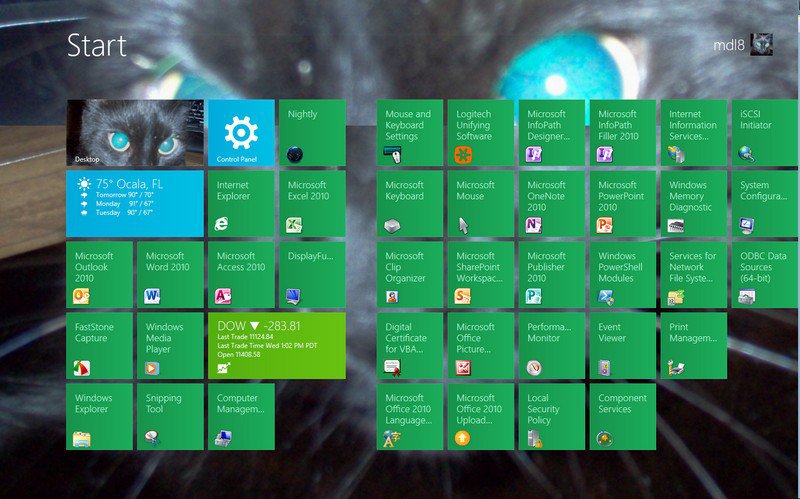
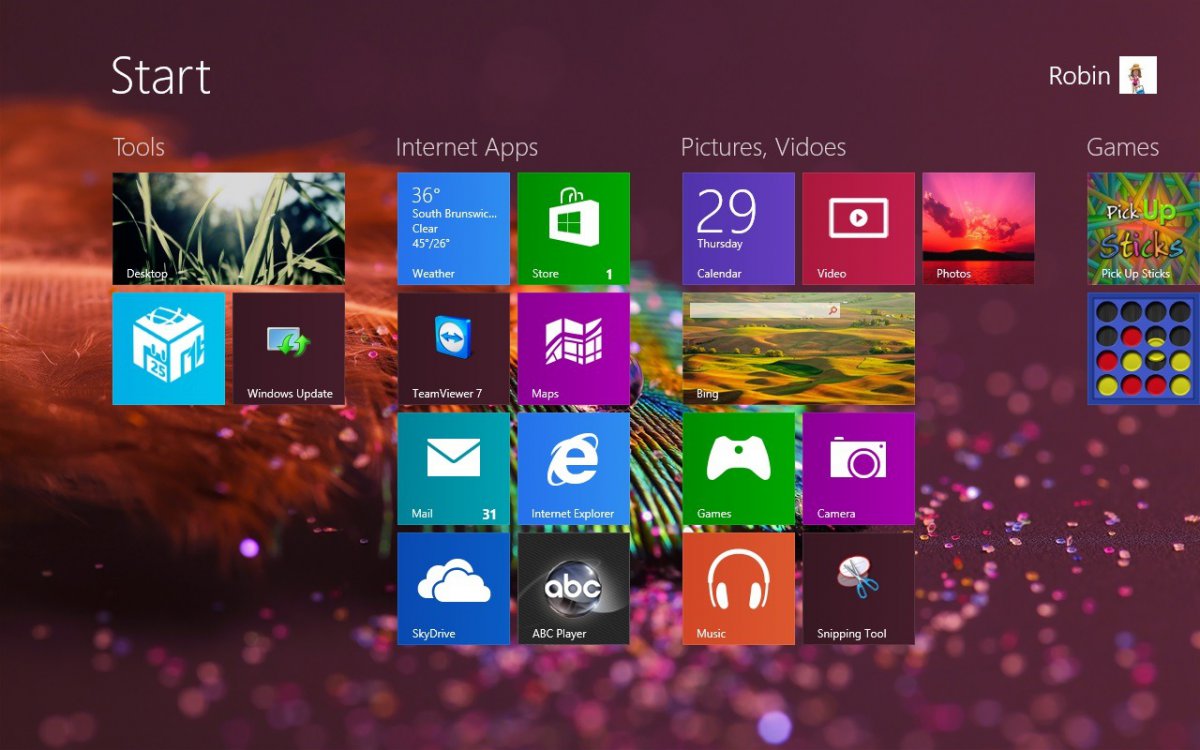
How to Change Your Start and Sign in Screen Background and Color in Windows 8 and 8.1
 Information
EXAMPLE: Start and Sign in Screen Background and Color
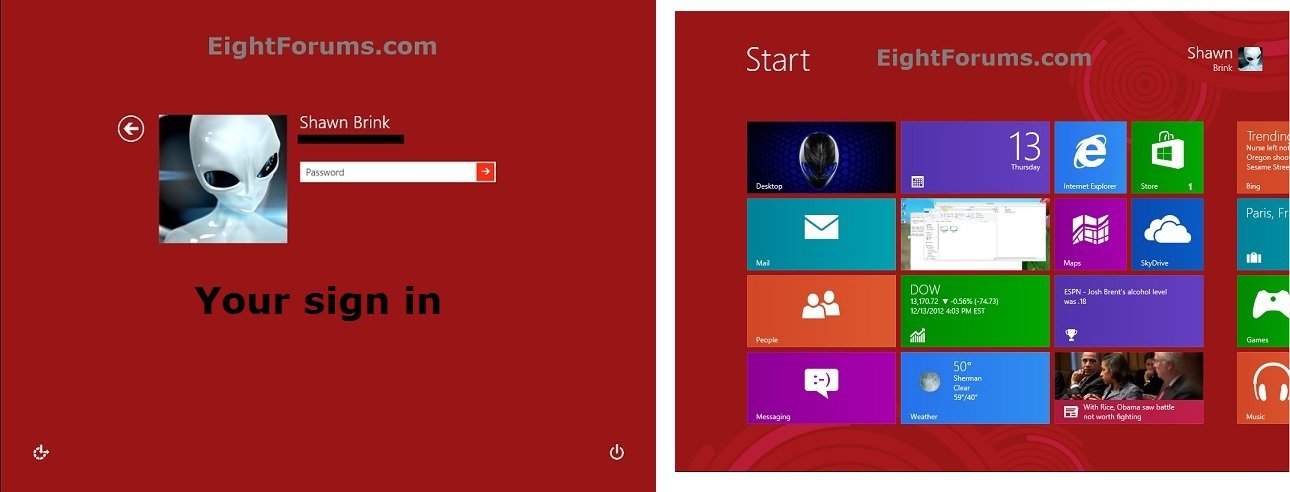
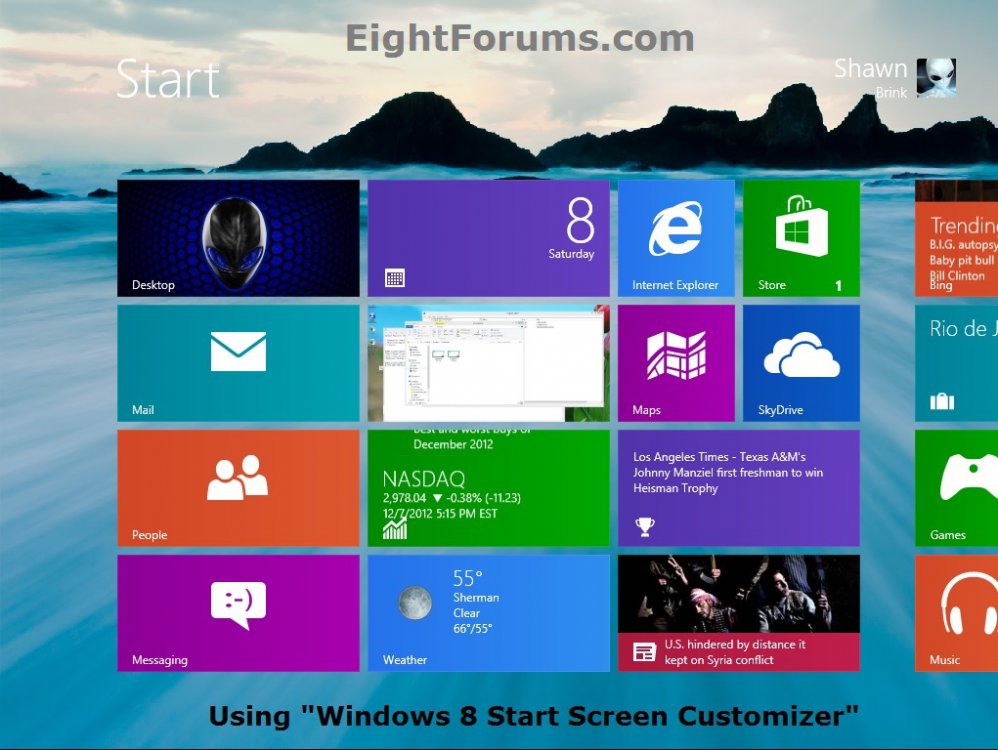
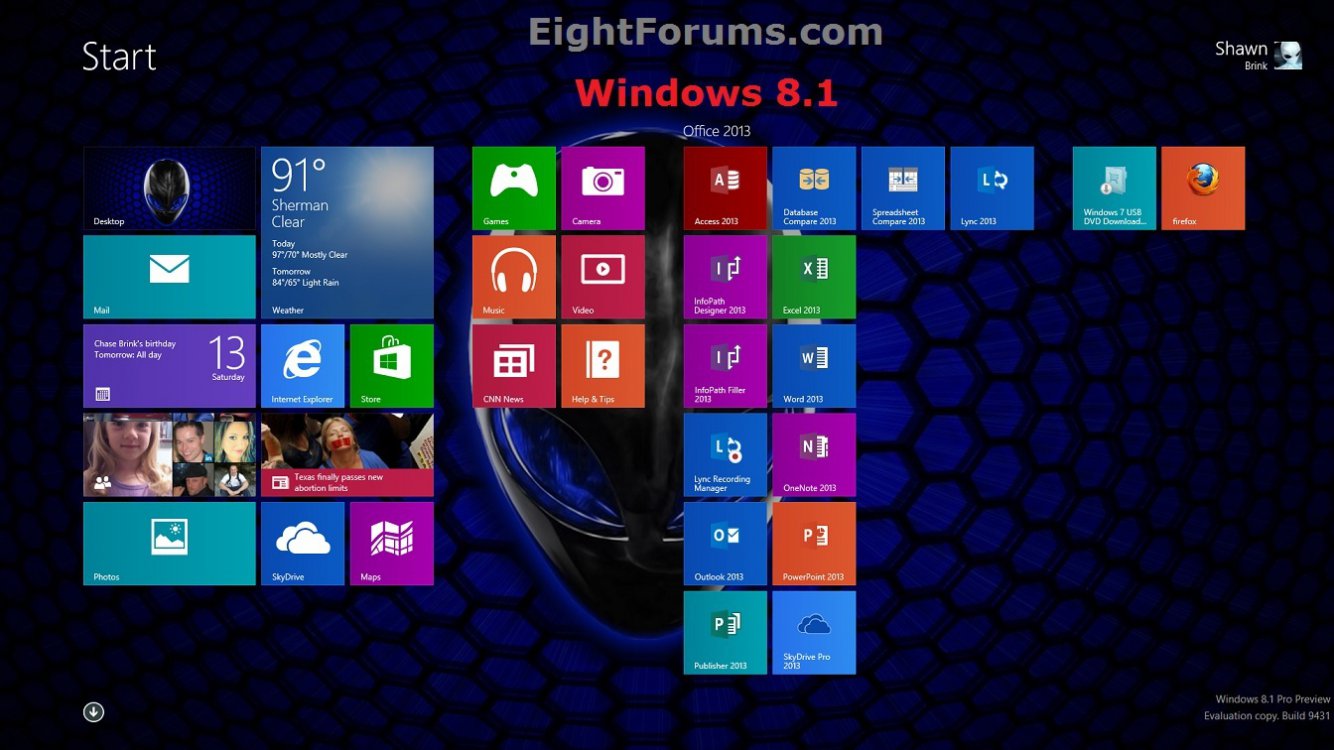
OPTION ONE
Change Your Sign in and Start Screen Background Image and Color in Settings Charm in Windows 8.1
 Note
NoteThis option will show you how to change only the background image (desktop or default) and color of your Start screen, and only the color of your sign in using PC settings in Windows 8.1 and Windows RT 8.1.
NOTE: This will not work if done from your desktop.
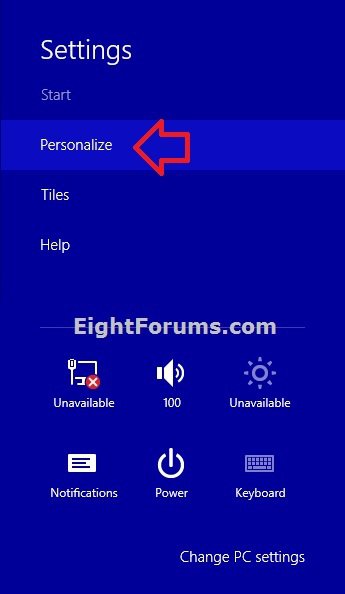
2. Click/tap on Personalize. (see screenshot below)
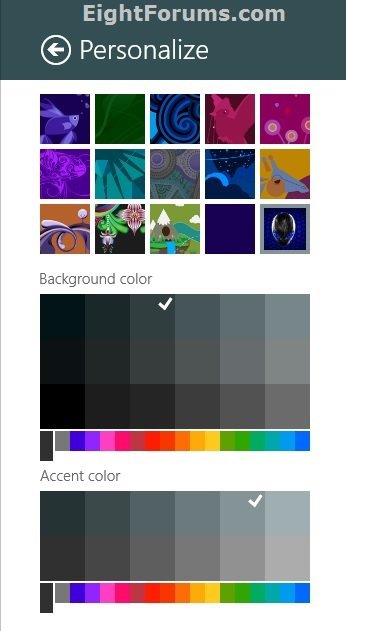
3. In the top background images section, click/tap on one of the 15 image thumbnails you want set as your Start screen background. (see screenshot below step 5)
NoteThe bottom right corner thumbnail is for setting your Start screen background to be the same as your current desktop background. When selected, the Background color option in step 4 below will only change your Sign in screen background color and not your Start screen.
Note
If you select any of the other image thumbnails as your Start screen background, then the selected image will be inlayed on top of the Background color option you selected in step 4 below for your Start screen background color.
4. In the middle Background color section, click/tap on a color family you want in the bottom bar, then click/tap on a color shade above the bottom bar to set (check) as your Start and Sign in screen background color. (see screenshot below step 5)
NoteIf you selected the desktop background thumbnail in step 3 above, then this will not change your Start screen background color, and will only change your sign in screen background color instead.
Note
Examples of items that use the background color would be:
- Start screen background unless as per above.
- App highlight box on Start screen (Start and Apps view).
- Arrow button background on bottom of Start screen (Start and Apps view).
- Sign in screen background.
- Charms flyout background.
- Charms menu title header background
- etc....
 Tip
TipYour background color is stored as a hex value of the StartColor DWORD at the registry location below.
Tip
HKEY_CURRENT_USER\SOFTWARE\Microsoft\Windows\CurrentVersion\Explorer\Accent
5. In the bottom Accent color section, click/tap on a color family you want in the bottom bar, then click/tap on a color shade above the bottom bar to set (check) for all of your modern UI screens accent color. (see screenshot below step 5)
NoteExamples of items that use the accent color would be:
Note
- Start button (ex: taskbar, charms bar) when hovered on.
- Selected menus on the left side in PC settings.
- Slider colors in PC settings.
- Menu titles in PC settings.
- etc....
TipYour accent color is stored as a hex value of the AccentColor DWORD at the registry location below.
Tip
HKEY_CURRENT_USER\SOFTWARE\Microsoft\Windows\CurrentVersion\Explorer\Accent
6. When finished, you can click/tap on an empty area on Start to close the Personalize flyout.
OPTION TWO
Change Your Sign in and Start Screen Background Image and Color in "PC settings" in Windows 8
NoteThis option will show you how to change only the background image and color of your Start screen, and only the color of your sign in using PC settings in Windows 8 and Windows RT.
If you like, you can use this option to change the color of your sign in screen background, and also use OPTION THREE below to use a custom image on your Start screen background.
If you like, you can use this option to change the color of your sign in screen background, and also use OPTION THREE below to use a custom image on your Start screen background.
1. Open PC settings, click/tap on Personalize in the right pane, and Start Screen in the left pane. (see screenshot below)
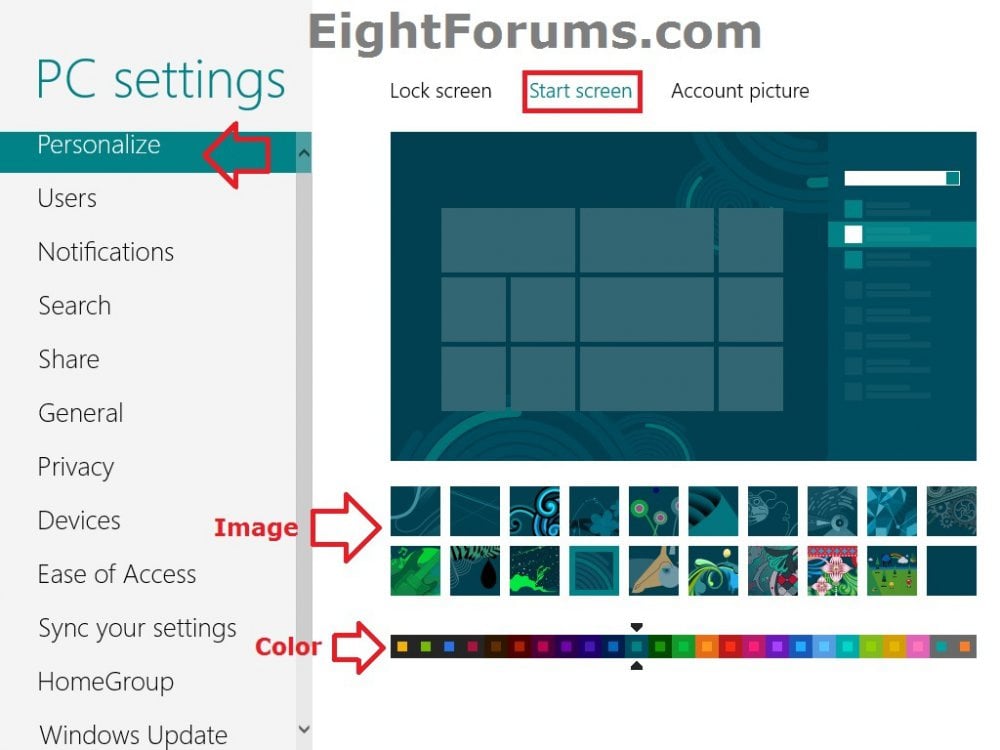
2. From here, you can choose an image for the Start screen background, and/or choose a color for the Start and sign in screen background. (see screenshot above)
NoteIf you use OPTION TWO below, then it will override the image and color selected here on your Start screen.
Note
The color you select will only be applied to your Start and sign in screen, and not to the default sign in screen that shows all users.
3. When finished, you can close PC settings if you like
OPTION THREE
Change Your Start Screen Background using "Windows 8 Start Screen Customizer"
NoteThis option will show you how to change your Start screen background to any custom image you like. If you like, you could also select more than one picture to have a slideshow on the Start screen.
Once you have the picture selected, you could adjust the Start screen opacity and tiles opacity separately to display how transparent or solid you would like.
For more information about how to use the free Windows 8 Start Screen Customizer program, please also see: codigobit apps
Once you have the picture selected, you could adjust the Start screen opacity and tiles opacity separately to display how transparent or solid you would like.
For more information about how to use the free Windows 8 Start Screen Customizer program, please also see: codigobit apps
1. If you have not already, then you will need to download the latest version of the portable or installer Windows 8 Start Screen Customizer .exe file at the link below.
NOTE: If you download the portable executable, you will need to extract ModernUIStartScreen.ex_ and rename it to ModernUIStartScreen.exe.
2. Unblock the ModernUIStartScreen.exe (portable) or Win8StartScreenCustomizerEN.exe (installer) file, then run the .exe file.
NOTE: You would need to use OPTION ONE at this link to unblock the .exe.

3. From here, you can select to use your current desktop wallpaper or load a picture to use on your Start screen. (see screenshot below)
NOTE: If you choose to Load Picture, then you will also need to drag the select box borders to include what you want to be displayed from the loaded picture. Only what is inside the select box is what will show on the Start screen.
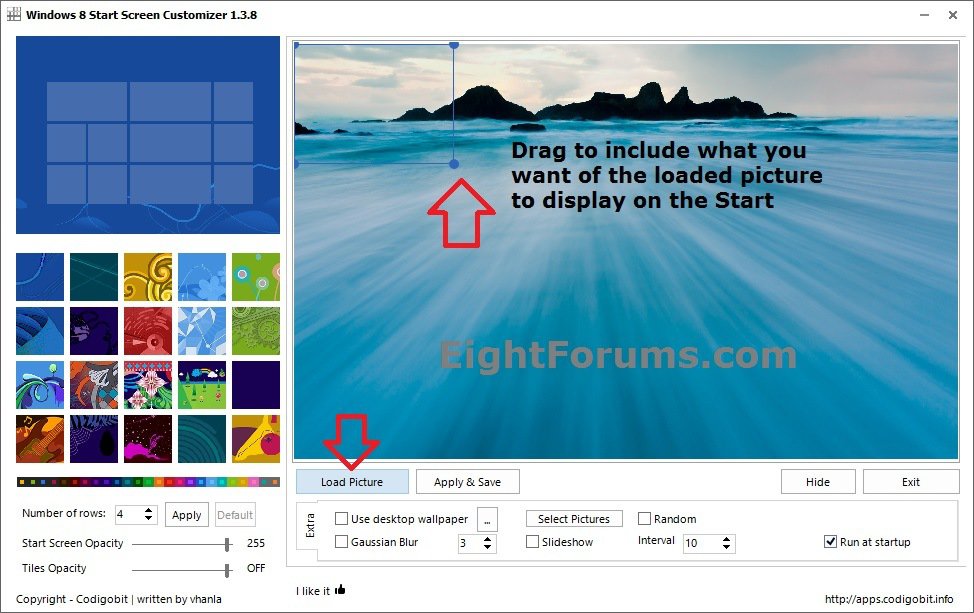
4. If you would like to have a Start screen slideshow, then use Select Pictures to select more than one image, check Slideshow, select the change picture interval time, and select if you want the selected pictures to display randomly in the slideshow. (see screenshot below step 3)
5. You can also adjust the sliders for the Start Screen Opacity and Tiles Opacity for how transparent or solid you would like them to be. (see screenshot below step 3)
6. Check the Run at startup box. (see screenshot below step 3)
NOTE: If you do not check this box, then the Start screen picture will go back to default like in OPTION ONE whenever you restart the computer or sign out.
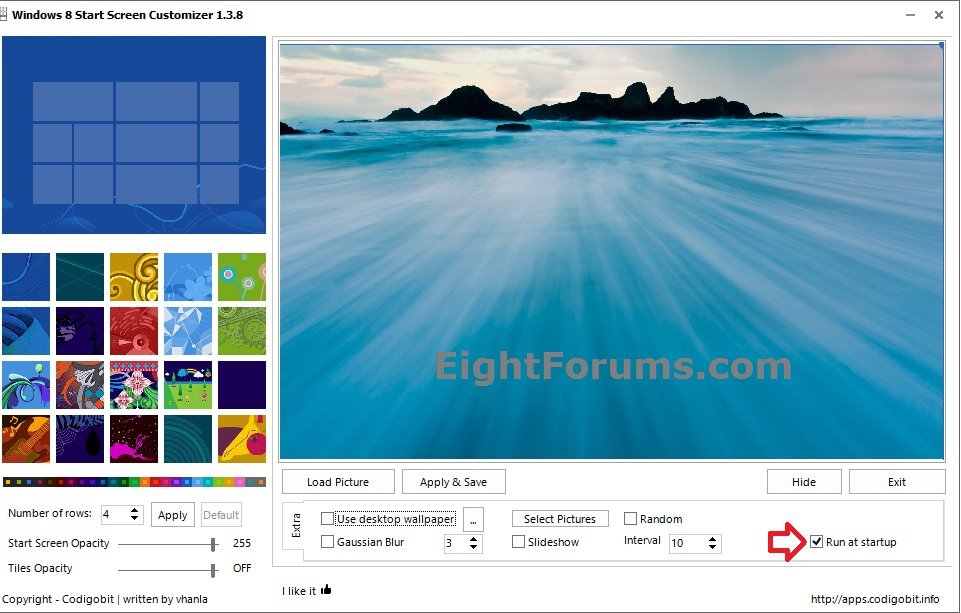
7. When finished, click/tap on the Apply & Save button. (see screenshot below step 6)
8. This will take you to the Start screen to see how your selected picture(s) look. Click on the Desktop tile to go back.
9. Make any other changes you may like in Windows 8 Start Screen Customizer, and repeat step 7 until you have the Start screen how you like.
10. When finished, either click/tap on Exit or the Hide button. (see screenshot below step 6)
NoteWhen you click on the Hide button, the program will stay running in the background and have an icon in the taskbar notification area (systray).
Note
When you click on Exit, the program will close. The Start screen picture will still remain displayed until you either restart the computer or sign out unless you checked the Run at startup box in step 6 above.
That's it,
Shawn
Related Tutorials
- How to Force a Specific Background and Accent Color in Windows 8.1 Modern UI
- How to Set a Default Start Background Image for All Users in Windows 8.1
- How to Change the Color of Window Borders and Taskbar in Windows 8 and 8.1
- How to Show your Desktop Background on Start Screen in Windows 8.1
- How to Change Background Color of Default Sign-in Screen in Windows 8 and 8.1
- How to Enable or Disable Changing Start Screen Background in Windows 8 and 8.1
- How to Change Lock Screen Background Image in Windows 8 and 8.1
- Change Your Desktop Background and Slide Show in Windows 8 and Windows 8.1
- Change Number of Apps Rows on "Start" Screen in Windows 8 and Windows 8.1
- How to Download a "Start" Screen Shortcut in Windows 8 and 8.1
- How to Set Windows 8 to Require Users to Sign in with User Name and Password
- Set Desktop, Lock, and Start Background to Show Image or Solid Color in Windows 8 and 8.1
- How to Create a "Personalize Modern UI" Shortcut in Windows 8.1
- How to Display Information about Previous Logons during User Sign-in to Windows 8 and 8.1
Last edited by a moderator: