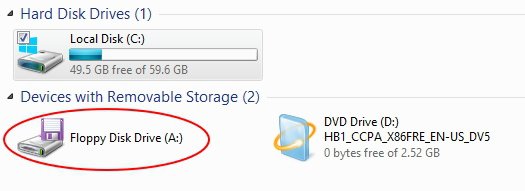
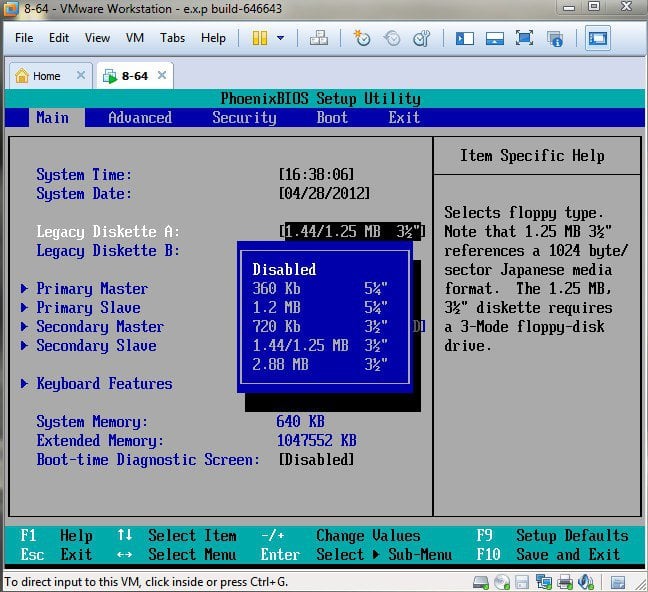
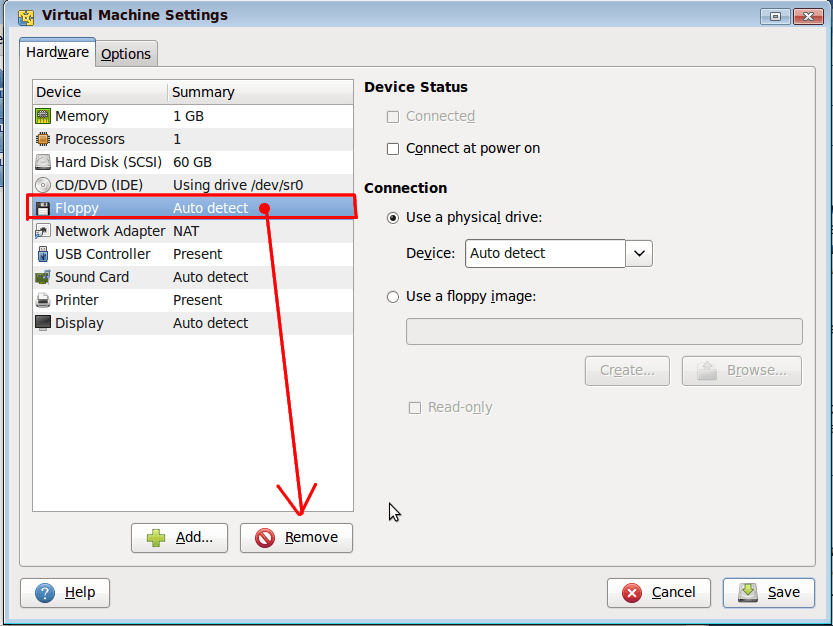
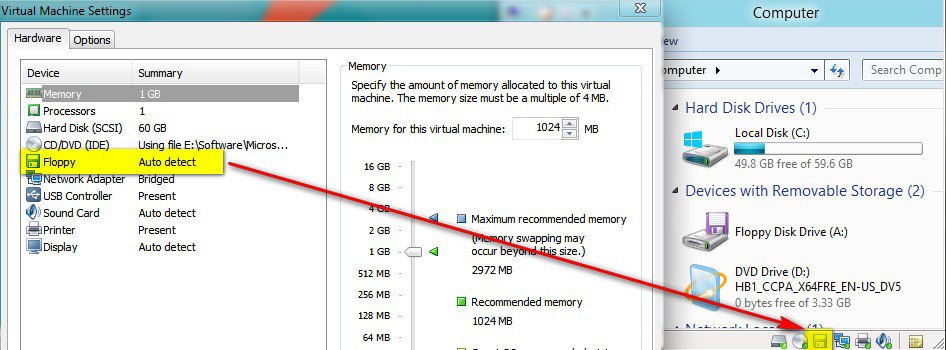
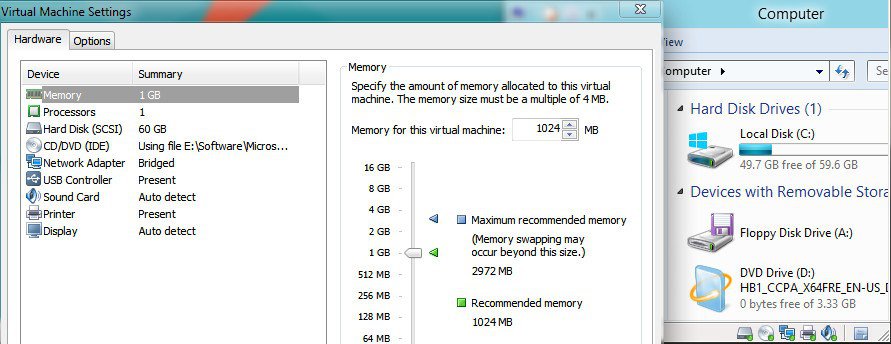
My apologies. I just find it a bit difficult to get into VMware BIOS because it's only a fraction of a second visible . And the floppy doesn't annoy me since VMware includes it on all OS types. But yes I've checked it now and you have to go in BIOS after all.
Computer Type Laptop System Manufacturer/Model Number HP Envy DV6 OS Win8 Core x64 + Others in VM's CPU Intel Core i7-3630QM Motherboard HP Memory 16 GB Graphics Card Intel HD4000 + Nvidia Geforce 630M Sound Card IDT HD Audio Monitor(s) Displays Built in screen + LCD TV if needed Screen Resolution good enough
Keyboard more than one Mouse a bunch of mice PSU 120W adapter Case is small Cooling with some minifans Hard Drives 1 SSD 250GB + 1 HDD 750GB Internet Speed is not (so) fast Browser Chromium Antivirus Windows Defender Other Info Shining with the Daybreak Color Palette.
Join Date : Feb 2012
Posts : 825
Windows 7 x64 Ultimate/Mint Lisa x64/Cinnamon
Originally Posted by Hopachi
You are totally right on this one Calico.
My apologies. I just find it a bit difficult to get into VMware BIOS because it's only a fraction of a second visible . And the floppy doesn't annoy me since VMware includes it on all OS types. But yes I've checked it now and you have to go in BIOS after all.
Thanks
Hopachi
There's a couple of things you can do to make it easier to access the BIOS.
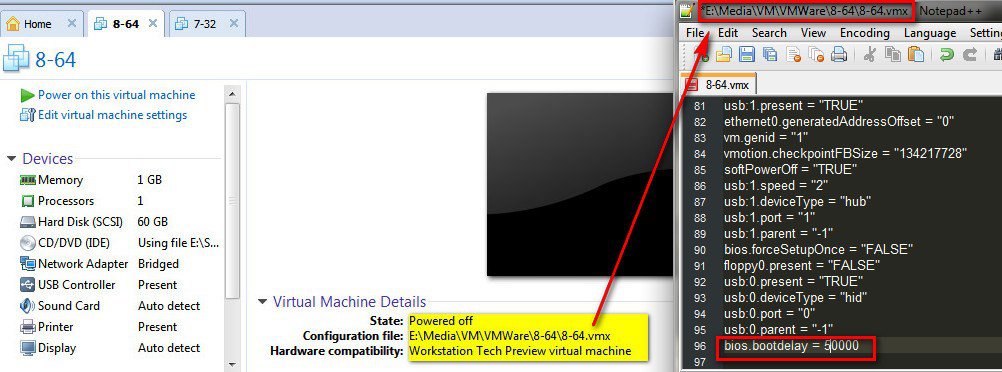
1. Edit the vmx file for the VM:
a. Find the location of your VM vmx file
b. Edit the file with a text editor
c, Add the line bios.bootdelay = 50000 (modify the value to suite)
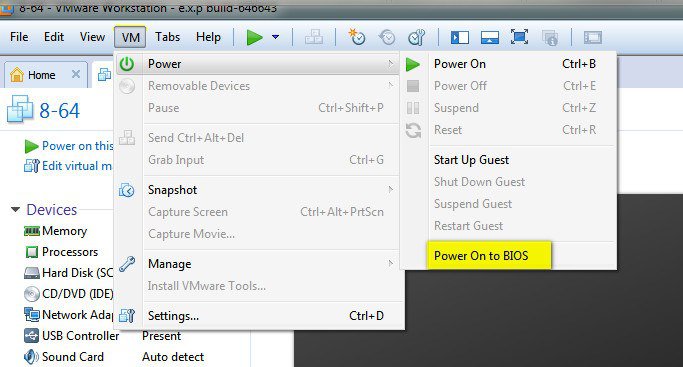
2. Use the 'Boot On to BIOS' option:
a. Open VMWare
b. Select VM/Power On/Boot On to BIOS
Yes I've heard about this workaround. Good one.
But then the vm will take that extra time to boot up because of the bios delay.
The 50000 value: that in milliseconds, right? So you have 50 seconds time to enter the bios!
That's more than enough. All I gotta do is press ESC button once to enter bios.
Computer Type Laptop System Manufacturer/Model Number HP Envy DV6 OS Win8 Core x64 + Others in VM's CPU Intel Core i7-3630QM Motherboard HP Memory 16 GB Graphics Card Intel HD4000 + Nvidia Geforce 630M Sound Card IDT HD Audio Monitor(s) Displays Built in screen + LCD TV if needed Screen Resolution good enough
Keyboard more than one Mouse a bunch of mice PSU 120W adapter Case is small Cooling with some minifans Hard Drives 1 SSD 250GB + 1 HDD 750GB Internet Speed is not (so) fast Browser Chromium Antivirus Windows Defender Other Info Shining with the Daybreak Color Palette.
* VMware floppy device out-of-bounds memory write - Due to a flaw in the virtual floppy configuration it was possible to perform an out-of-bounds memory write. This vulnerability allowed a guest user to crash the VMX process or to potentially execute code on the host.
* VMware SCSI device unchecked memory write - Due to a flaw in the SCSI device registration it was possible to perform an unchecked write into memory. This vulnerability allowed a guest user to crash the VMX process or to potentially execute code on the host.
Computer Type Laptop System Manufacturer/Model Number HP Envy DV6 OS Win8 Core x64 + Others in VM's CPU Intel Core i7-3630QM Motherboard HP Memory 16 GB Graphics Card Intel HD4000 + Nvidia Geforce 630M Sound Card IDT HD Audio Monitor(s) Displays Built in screen + LCD TV if needed Screen Resolution good enough
Keyboard more than one Mouse a bunch of mice PSU 120W adapter Case is small Cooling with some minifans Hard Drives 1 SSD 250GB + 1 HDD 750GB Internet Speed is not (so) fast Browser Chromium Antivirus Windows Defender Other Info Shining with the Daybreak Color Palette.