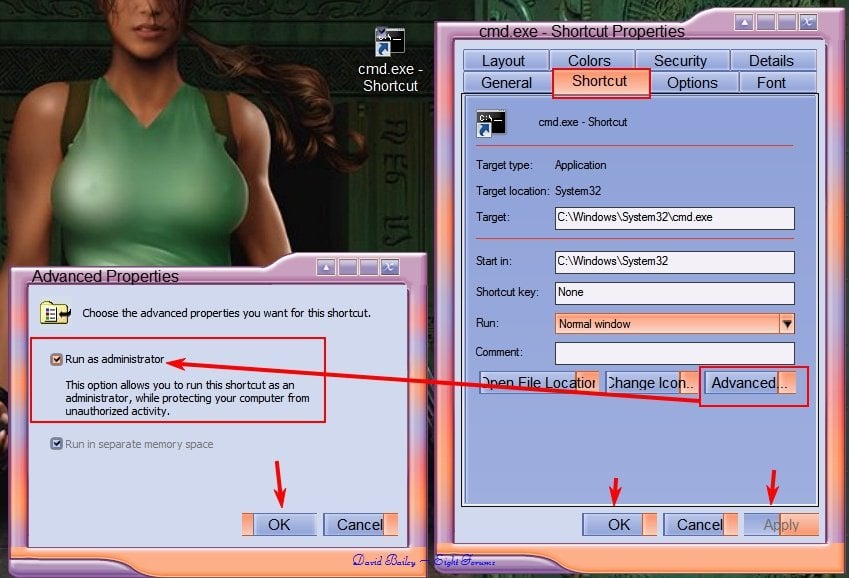
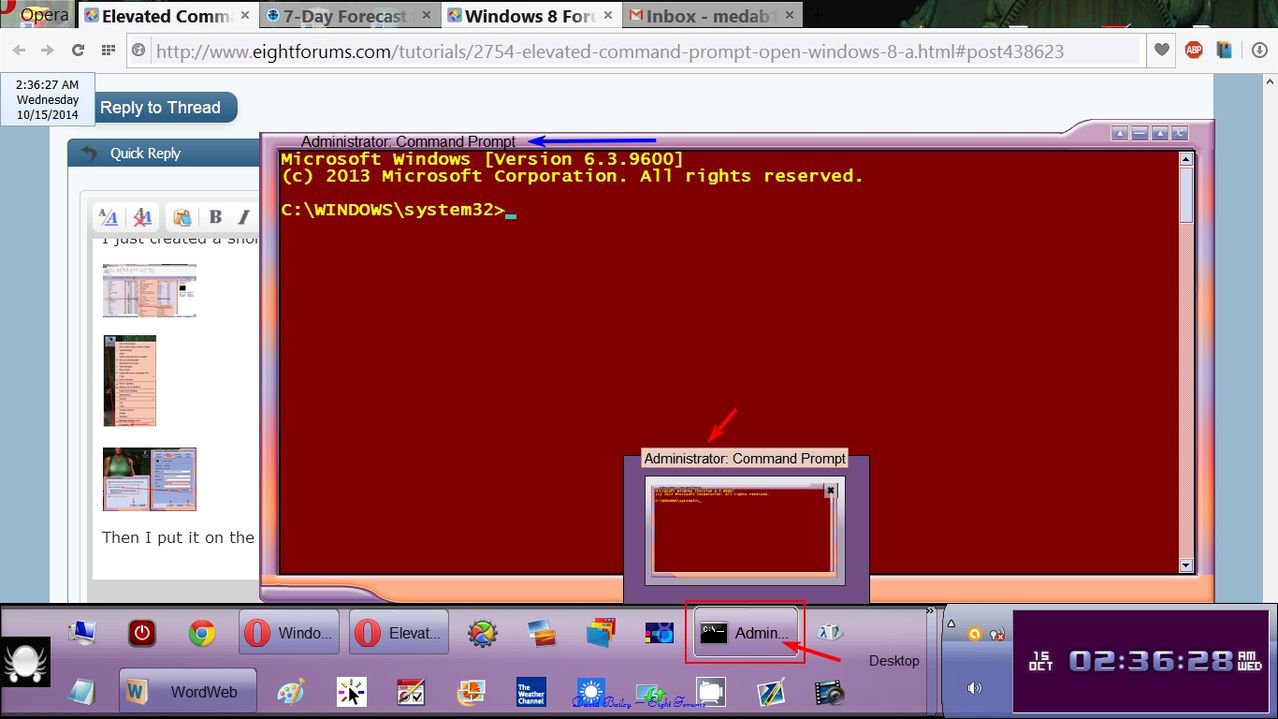
How to Open an Elevated Command Prompt in Windows 8
 Information
A command prompt is an entry point for typing computer commands in the Command Prompt window. By typing commands at the command prompt, you can perform tasks on your computer without using the Windows graphical interface.
This tutorial will show you how to open an elevated command prompt that will run as administrator with full administrator rights in Windows 8, Windows RT, Windows 8.1, and Windows RT 8.1.
You must be signed in as an administrator to be able to open an elevated command prompt.
This tutorial will show you how to open an elevated command prompt that will run as administrator with full administrator rights in Windows 8, Windows RT, Windows 8.1, and Windows RT 8.1.
You must be signed in as an administrator to be able to open an elevated command prompt.
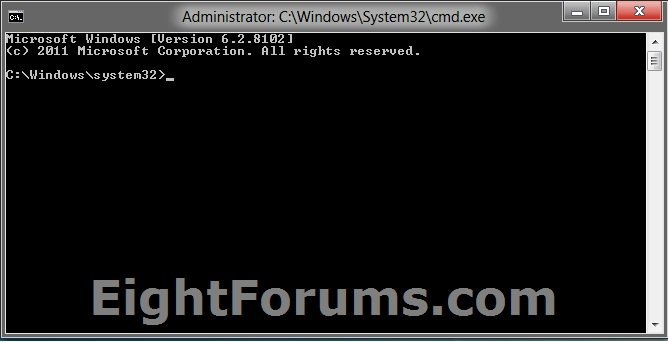
EXAMPLE: Elevated Command Prompt
OPTION ONE
Open Elevated Command Prompt from Win+X Power Users Tasks Menu
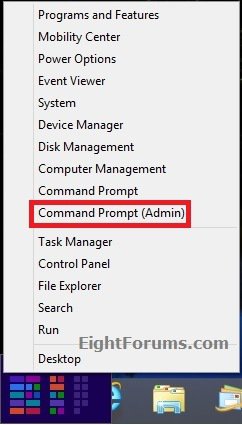
1. Open the Power User Tasks Menu, and click/tap on Command Prompt (Admin). (see screenshot below)
NOTE: See also: Power User Tasks Menu - Show Command Prompt or PowerShell
OPTION TWO
To "Open Command Prompt Here as administrator"
NOTE: This option allows you to open a command prompt that opens to the location of the selected folder or drive.
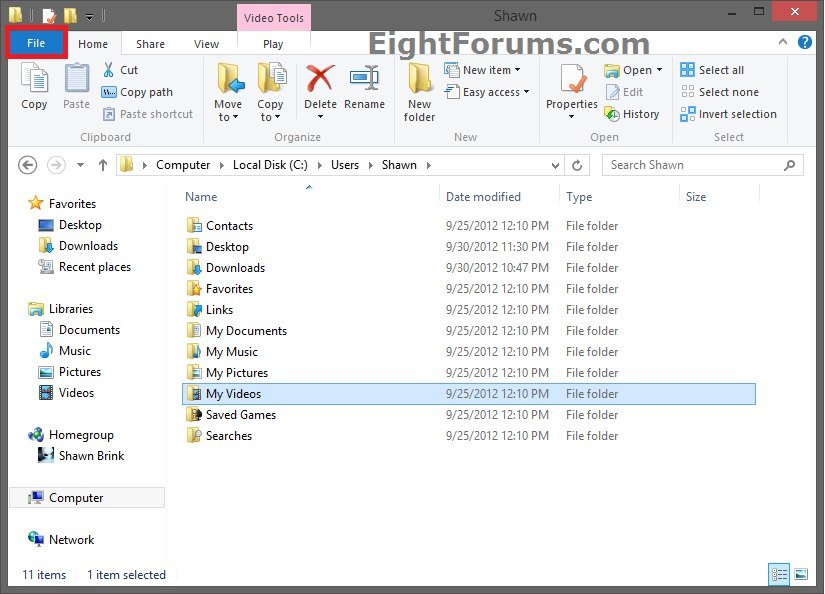
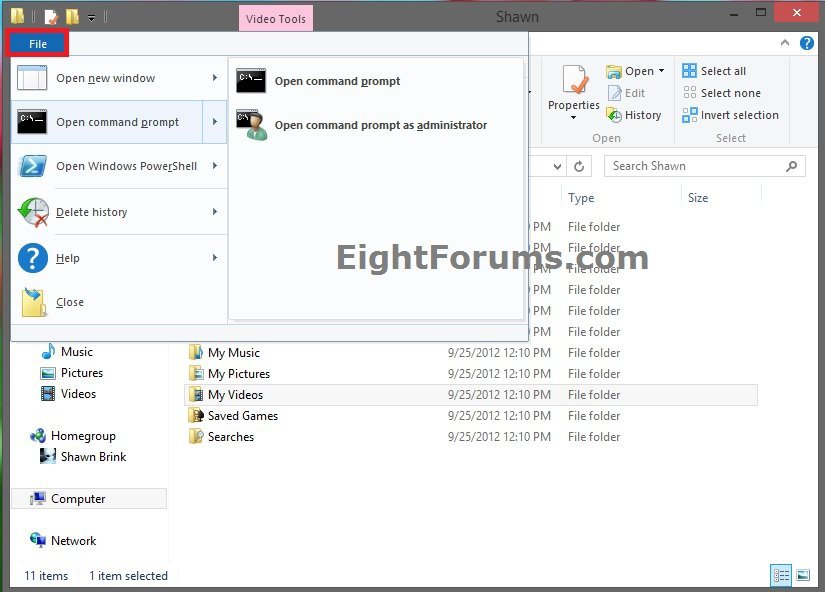
1. In File Explorer, select or open a folder or drive that you want to open the command prompt at that location for, click/tap on the File tab on the Ribbon, and click/tap on Open command prompt as administrator. (see screenshots below)
OPTION THREE
Open an Elevated Command Prompt from Task Manager
 Note
NoteIf you are signed in as a standard user, then this will open an unelevated command prompt.
If you are signed in as an administrator, then this will open an elevated command prompt.
If you are signed in as an administrator, then this will open an elevated command prompt.
1. Open Task Manager with more details.
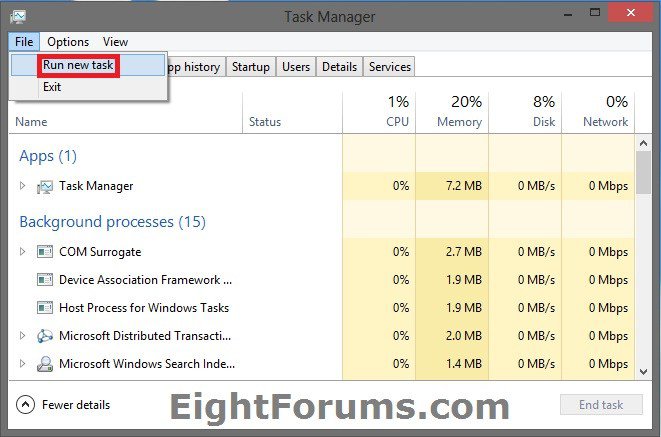
2. Click/tap on File (menu bar), then press and hold the CTRL key and click/tap on Run new task. (see screenshot below)
OPTION FOUR
Open an Elevated Command Prompt from Search Apps
1. Do step 2 or 3 below for how you would like to search for cmd.exe.
2. Search for CMD from Start Screen
A) While on your Start screen, start typing cmd, and go to step 4 below.
3. Search for CMD from Search Apps
A) Open the Charms bar, and click/tap on Search, and go to step 4 below.
NOTE: You could also press the Windows + Q to open Search.
4. Do step 5 or 6 below for what Windows 8 you have.
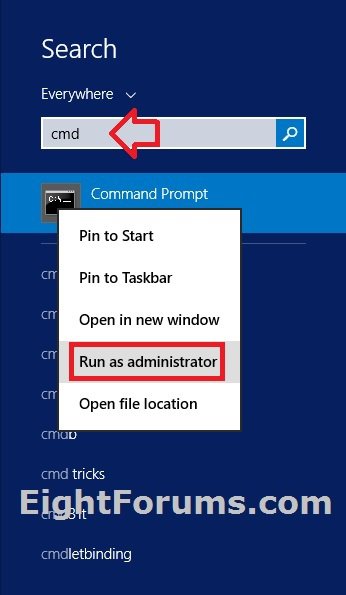
5. In Windows 8 or Windows RT, type cmd in the search flyout. (see screenshot below)

A) In the search results on the left side, right click or press and hold on Command Prompt, and click/tap on Run as administrator in the application bar at the bottom. (see screenshot below)

6. In Windows 8.1 or Windows RT 8.1, type cmd in the search flyout, right click or press and hold on Command Prompt in the search results, and click/tap on Run as administrator. (see screenshot below)
OPTION FIVE
Open an Elevated Command Prompt from File Explorer
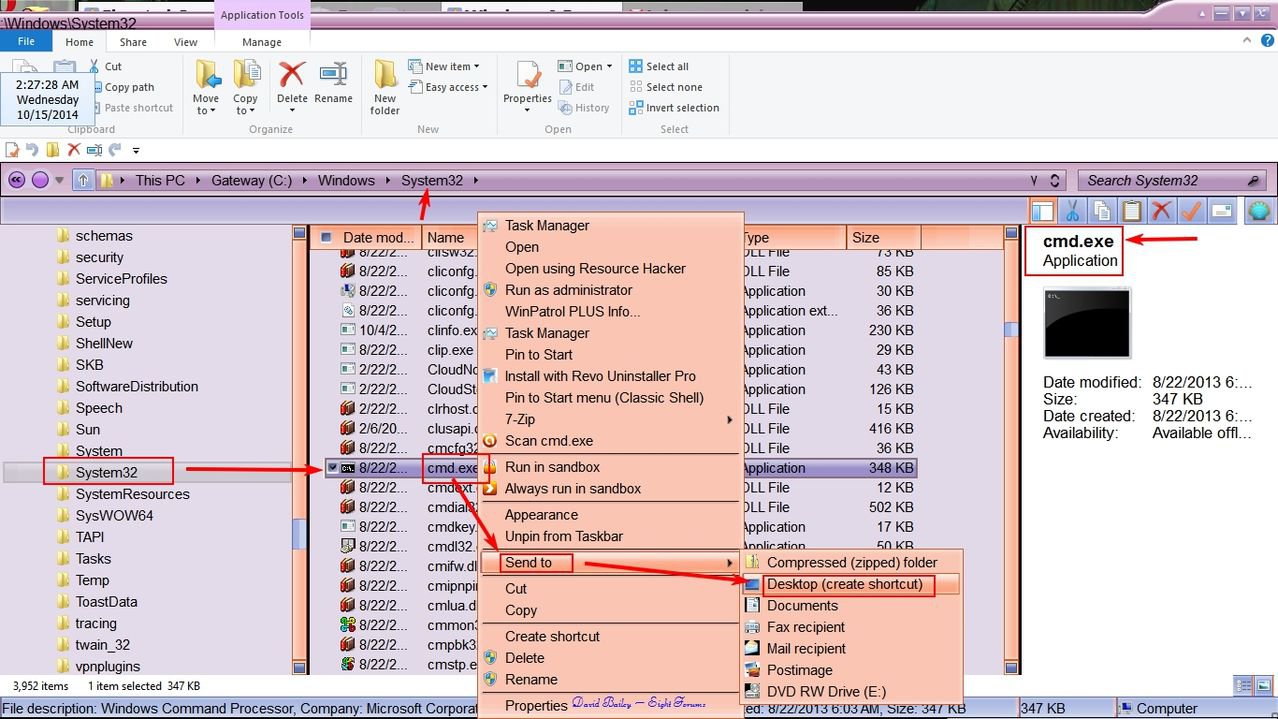
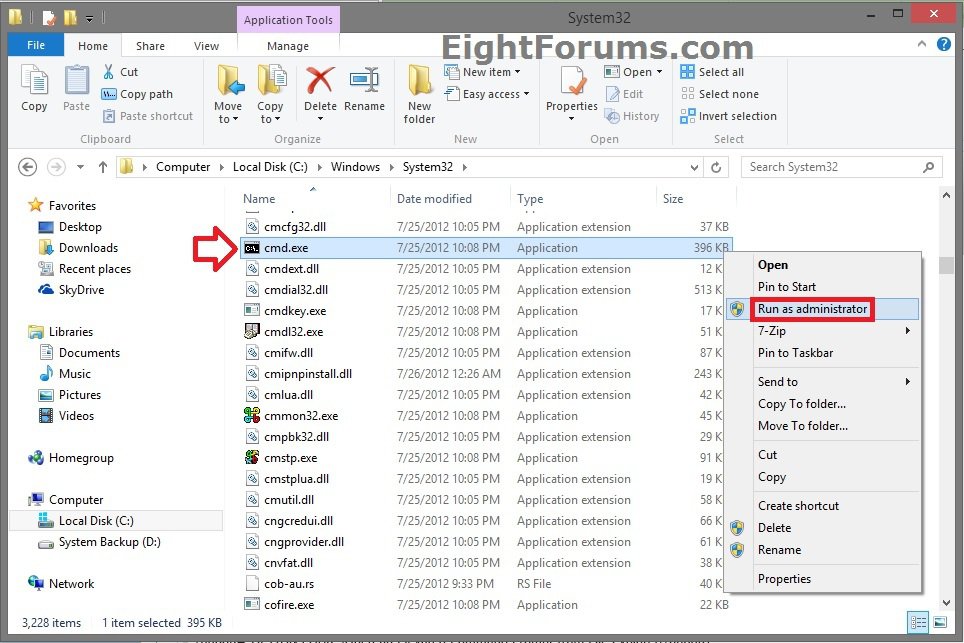
1. Open File Explorer (Windows Explorer), and navigate to the file below. (see screenshot below)
C:\Windows\System32\cmd.exe
2. Right click or press and hold on cmd.exe, and click/tap on Run as administrator. (see screenshot below)
That's it,
Shawn
Related Tutorials
- How to Create an Elevated Command Prompt Shortcut in Windows 7 and Windows 8
- How to Open a Command Prompt in Windows 8
- How to Open a Command Prompt at Boot in Windows 8
- How to Run a Program as an Administrator in Windows 8
- How to Open an Elevated Windows PowerShell in Windows 8
- A List of All Commands for the Command Prompt in Windows 8 and 8.1
Attachments

Last edited by a moderator: