Windows 8 Forums


Page 1 of 2 12 LastLast
Results 1 to 10 of 11
  1. #1
    ISO Images - Mount or Unmount

    ISO Images - Mount or Unmount
    How to Mount or Unmount ISO images in Windows 8
    Published by
    ie9
    ie9 is offline
    04-07-2011
    Default ISO Images - Mount or Unmount

    How to Mount or Unmount ISO images in Windows 8

    information   Information
    Windows 8 supports native ISO mounting and unmounting.

    This tutorial will show you how to mount or unmount an ISO image in Windows 8.

    Note   Note
    You are unable to edit an ISO image using Windows 8


    OPTION ONE
    To Mount a ISO Image in Windows 8

    1.
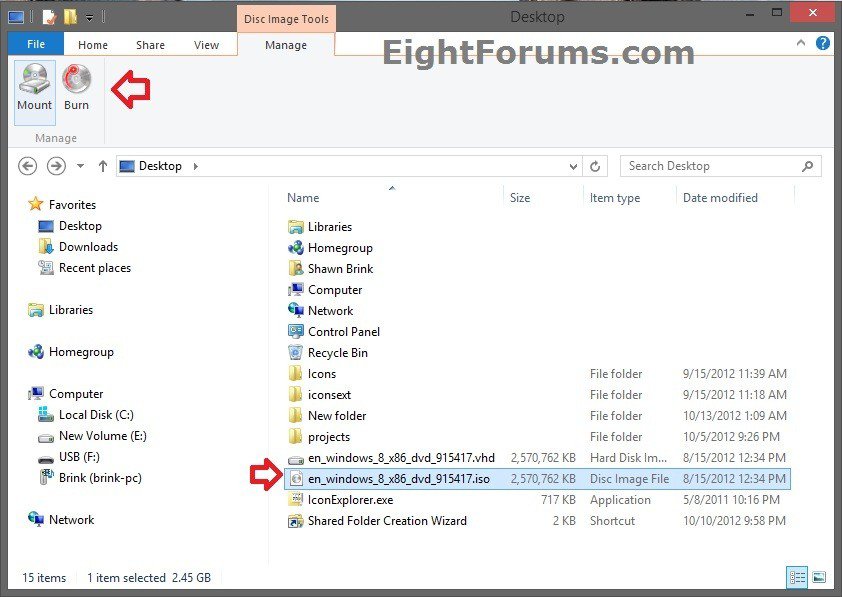
    Navigate to the ISO image that you would like to mount.

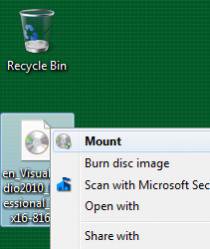
    2. Right-click on the ISO image, and click on Mount.

    Name:  Untitled.jpg
Views: 866
Size:  9.0 KB

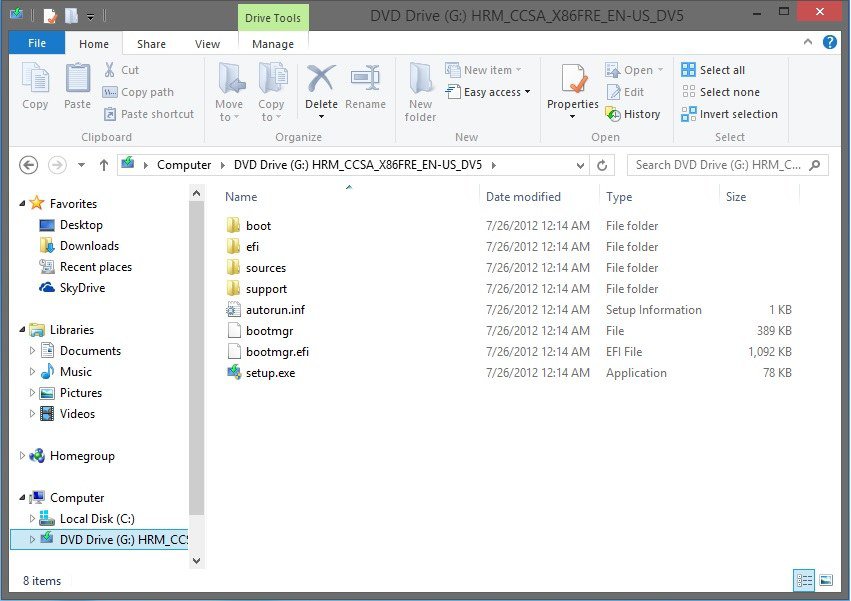
    3. A new window will pop-up showing the mounted ISO image.

    Name:  Capture.jpg
Views: 605
Size:  10.7 KB

    4. Double-click on the mounted image to see the contents of the ISO


    OPTION TWO
    To Unmount a ISO Image in Windows 8

    1.
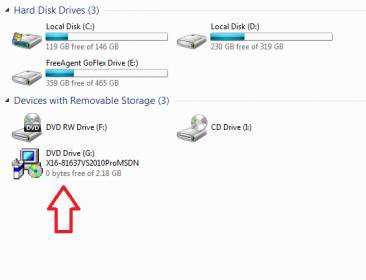
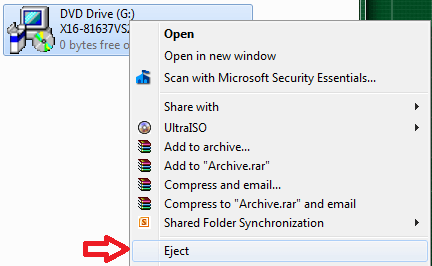
    Right-click on the mounted ISO drive, and click on Eject.

    Name:  Untitled1.png
Views: 600
Size:  16.9 KB

    Published by


    ie9's Avatar
    Leak Addict

    Join Date: Jan 2011
    Posts: 260


    Tutorial Tools

  2. #1
    Dave76's Avatar

    Team Member

    Join Date : Oct 2009
    Tropical Island Pair a Dice
    Posts : 1,647
    Windows 8 CP 64bit/ Windows 7 Ult x64


    Nice tut, thanks.
      My System SpecsSystem Spec

  3. #2
    kbronski's Avatar

    Member

    Join Date : Jun 2011
    Posts : 52
    Windows 7 Professional x64


    Native mounting? Sweet, love it!
      My System SpecsSystem Spec

  4. #3
    Darryl Licht's Avatar

    Not @ ANON


    Join Date : Oct 2009
    So Cal
    Posts : 142
    Windows 7 Ultimate 64 bit Steve Ballmer Signature Edition
    USA us california


    What a cool new feature! Im happy with Win7, but looking forward to Win8!
      My System SpecsSystem Spec

  5. #4
    raine369's Avatar

    Junior Member

    Join Date : Mar 2012
    Posts : 20
    windows 8 consumer preview
    USA us ohio


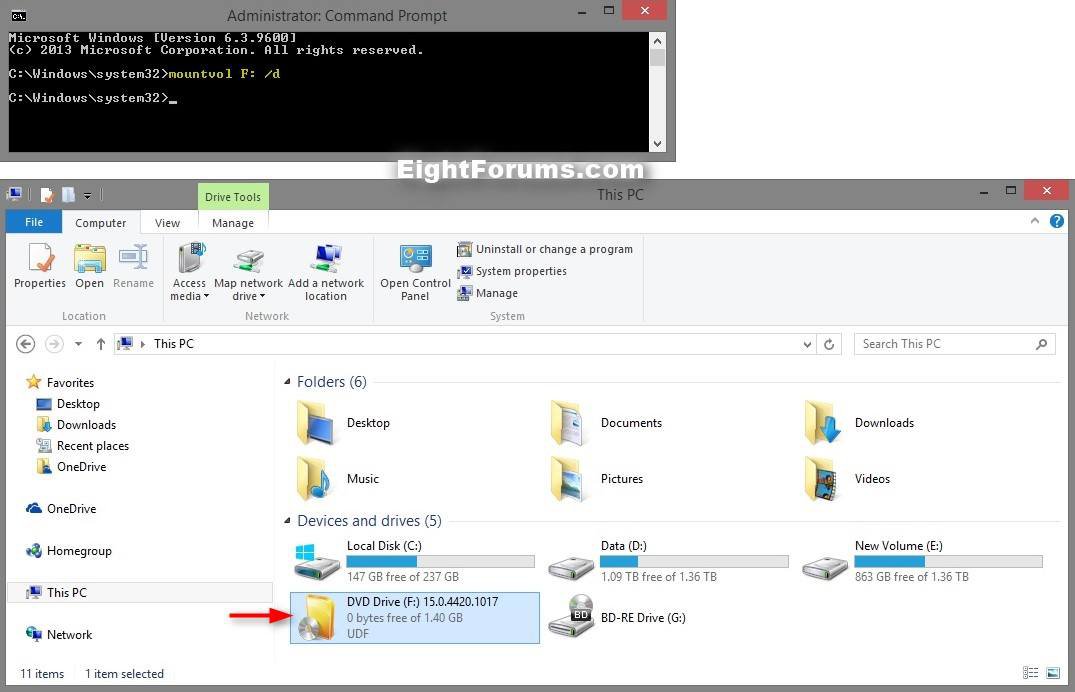
    Can you unmount from the command line? I mounted an iso from a network drive and must have lost connection for a moment. Now everytime I right or left click explorer stops responding.
      My System SpecsSystem Spec

  6. #5
    raine369's Avatar

    Junior Member

    Join Date : Mar 2012
    Posts : 20
    windows 8 consumer preview
    USA us ohio


    had to cold boot the tablet to get it to let go of the mount.
      My System SpecsSystem Spec

  7. #6


    Senior Member

    Join Date : Jul 2011
    West Sussex
    Posts : 170
    Windows XP, 7, 8CP, Embedded 7 various homebrew v
    UK uk mercia


    I find mounting an iso as simple as double-clicking the iso file in Explorer, and the new virtual CD/DVD drive opens in the Explorer window. Right click the virtual CD/DVD drive and select eject to unmount it. The mount is not persistent and will not remain on the next reboot.


    If you need to reconnect to the iso regularly, a shortcut to the iso file on the desktop will work, but pinning the mounted virtual CD/DVD drive to the taskbar will not.


    If you wish the virtual CD/DVD to be available when Windows opens, copy the shortcut to the iso file to your startup folder:
    C:\Users\<username>\AppData\Roaming\Microsoft\Windows\Start Menu\Programs\Startup


    You can then pin the Virtual CD/DVD to Start if you wish.

    What is more, VHD files mount with a double-click too!, which makes playing with virtual drives easier than ever. Here again, Eject on the right-click menu unmounts the VHD. The VHD can also be automatically mounted from the Startup folder when Windows 8 opens.
    Last edited by fafhrd; 03-12-2012 at 10:41 AM.
      My System SpecsSystem Spec

  8. #7
    loquacious's Avatar

    Member

    Join Date : Sep 2009
    Australia
    Posts : 75
    Windows 8 CP
    Australia au west australia


    Is there a way to mount "bin" files?
      My System SpecsSystem Spec

  9. #8


    Senior Member

    Join Date : Jul 2011
    West Sussex
    Posts : 170
    Windows XP, 7, 8CP, Embedded 7 various homebrew v
    UK uk mercia


    I think "bin files" cover so many types of binary data you wouldn't have a hope of safely opening them except by the program that is specifically intended to handle it's own "bin files".

    In the context you mean, Magic Iso I believe does open these DVD images. Google bin files and there's plenty of relevant stuff.

    Windows does not handle missing source image files for the mounted volumes very gracefully yet - it needs to be as clean as removing a removable disk or usb device, not hang your system searching for it. It's the same with missing network shares sometimes. We've used floppy drives in PCs, and the subst command for nearly 30 years, it's about time Microsoft got this right.
      My System SpecsSystem Spec

  10. #9
    GMan's Avatar

    Senior Member

    Join Date : Mar 2012
    Posts : 1,722
    8250 x86 + 7 SP1 x86 + Ubuntu 12.04 LTS x86
    USA us new york


    Quote Originally Posted by fafhrd View Post
    It's the same with missing network shares sometimes. ...it's about time Microsoft got this right.
    Hallelujah, praise the truth. Preach. Church. Amen and all the other feel good stuff that people say when there's an epiphany.

    And here I thought the issue was something senseless only applicable to my administrating. I have found registry edits at times that helped but no solid perfect/reliable way.

    Windows 8 here has Windows Explorer hang issues when a mapped drive to a turned off laptop is not available. Even just opening Winrar takes about a full minute. Once I rid the unavailable share, issues resolve immediately.

    I should Wireshark it to see if anything I can figure out is going on.
      My System SpecsSystem Spec

Page 1 of 2 12 LastLast