
Hello All,
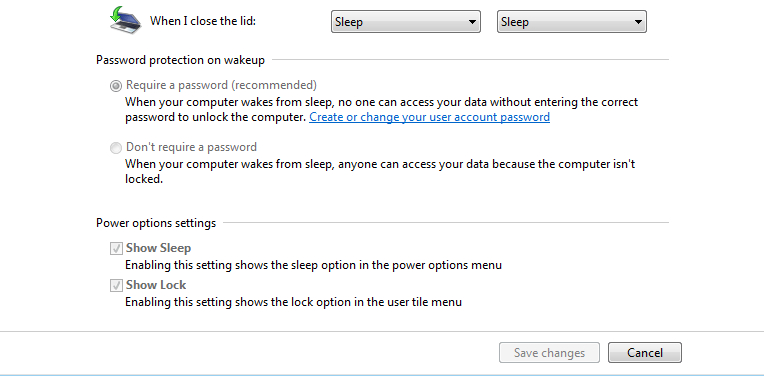
My system has no hibernation option as in the snip
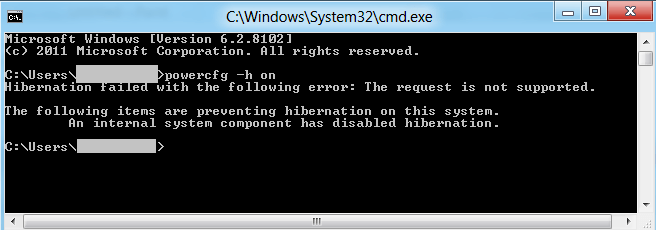
Trying command promt : powercfg -h on shows the error massage
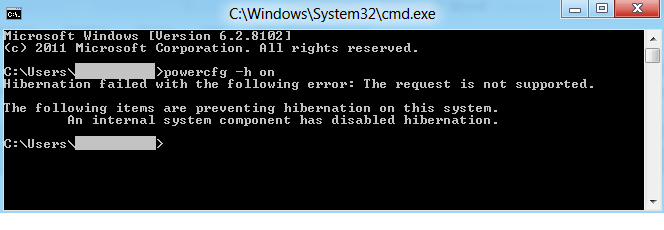
Trying creating hibernate shortcut using “C:\Windows\System32\rundll32.exe powrprof.dll,SetSuspendState 0,1,0” and reattempt command “powercfg -h on ” represent the same error
Try pressing on Hybernate shortcut , the system is hibernate yet the power button displays the flash light.
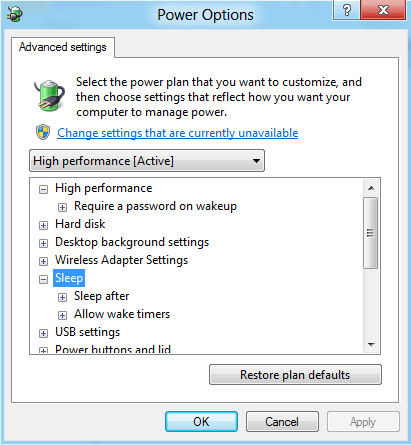
Checking to power option , there is no hibernate option displayed after expanding “sleep”
What should I do, please ?
My system has no hibernation option as in the snip
Trying command promt : powercfg -h on shows the error massage
Trying creating hibernate shortcut using “C:\Windows\System32\rundll32.exe powrprof.dll,SetSuspendState 0,1,0” and reattempt command “powercfg -h on ” represent the same error
Try pressing on Hybernate shortcut , the system is hibernate yet the power button displays the flash light.
Checking to power option , there is no hibernate option displayed after expanding “sleep”
What should I do, please ?
My Computer
System One
-
- OS
- window 7
- System Manufacturer/Model
- Acer
- CPU
- Intel(R) Core(TM) i5 CPU M 430 @ 2.27GHz
- Memory
- 2.00 GB
- Graphics Card(s)
- NVIDIA GeForce 310M


