Windows 8 Forums


Page 1 of 2 12 LastLast
Results 1 to 10 of 16
  1. #1
    MD678685's Avatar

    x64 all the way!

    Join Date : May 2011
    Posts : 36
    Windows 7 Ultimate x64(!)
    UK uk england

    Would I be able to enable the user tile on the taskbar?


    Hi. I am using Windows Developer Preview. It appears to lack the user tile on the taskbar. Is there a way to re-enable it?
      My System SpecsSystem Spec

  2. #2
    Brink's Avatar

    Administrator


    Join Date : Jul 2009
    Posts : 1,676
    64-bit Windows 7 Ultimate & Windows 8 Consumer Preview
    USA us texas


    Hello MD,

    This can enable it again for you.

    Taskbar UserTile Alpha 7.1 by ~AngelWZR on deviantART
      My System SpecsSystem Spec

  3. #3
    MD678685's Avatar

    x64 all the way!

    Join Date : May 2011
    Posts : 36
    Windows 7 Ultimate x64(!)
    UK uk england


    Oh yeah. I think I got an old version of this from skinpacks.com in the Windows 8 Skin Pack.

    Where do you extract it to?
    Last edited by Brink; 11-11-2011 at 08:40 AM. Reason: merged
      My System SpecsSystem Spec

  4. #4
    Brink's Avatar

    Administrator


    Join Date : Jul 2009
    Posts : 1,676
    64-bit Windows 7 Ultimate & Windows 8 Consumer Preview
    USA us texas


    MD,

    You would want to extract all of the contents of the downloaded taskbar_usertile_alpha_7_1_by_angelwzr-d3dcdoe.7z folder to another new folder. I used the free program 7-Zip to extract them. Next, you could move the folder to inside the C:\Program Files folder, and run the UserTile.exe file to have the user tile on the taskbar.
      My System SpecsSystem Spec

  5. #5
    MD678685's Avatar

    x64 all the way!

    Join Date : May 2011
    Posts : 36
    Windows 7 Ultimate x64(!)
    UK uk england


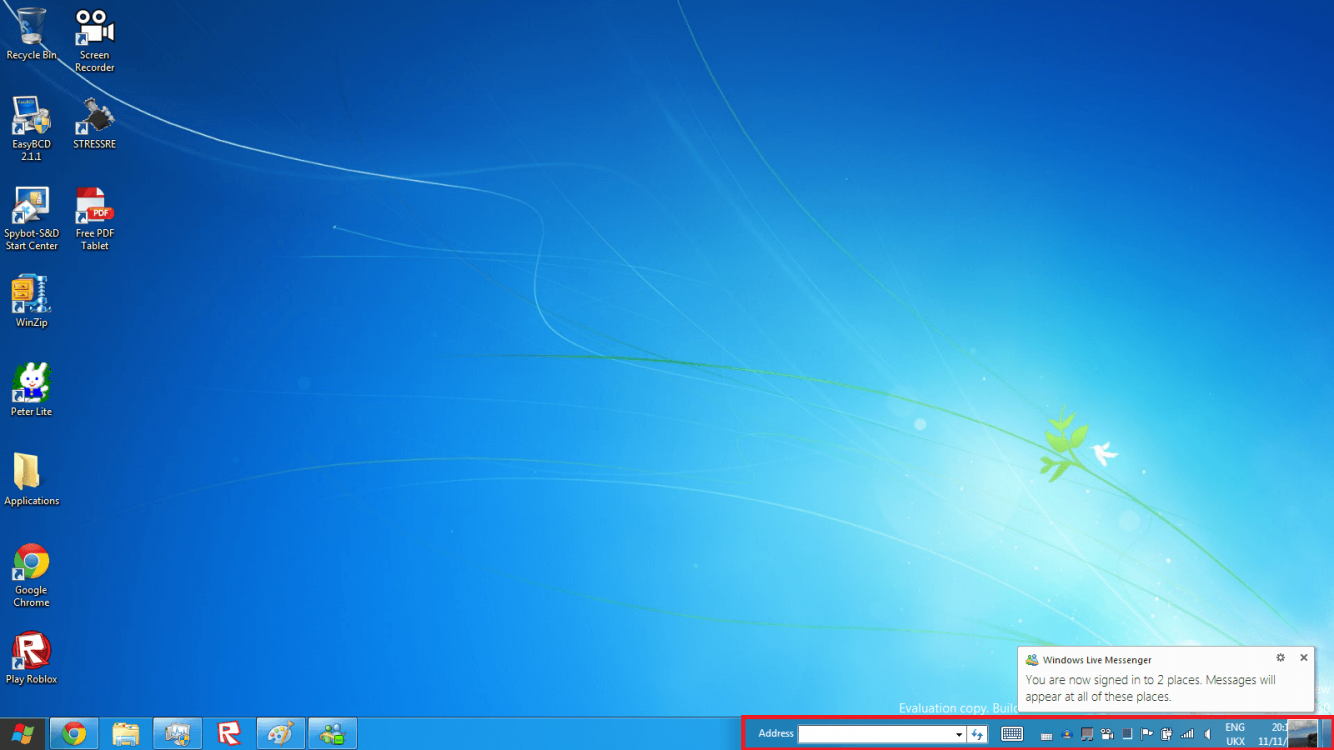
    The issue is the fact that it is not spaced out correctly. Is this a bug, or is it meant to do this?
      My System SpecsSystem Spec

  6. #6
    Brink's Avatar

    Administrator


    Join Date : Jul 2009
    Posts : 1,676
    64-bit Windows 7 Ultimate & Windows 8 Consumer Preview
    USA us texas


    It could be a bug. Could you post a screenshot of this?
      My System SpecsSystem Spec

  7. #7
    Brink's Avatar

    Administrator


    Join Date : Jul 2009
    Posts : 1,676
    64-bit Windows 7 Ultimate & Windows 8 Consumer Preview
    USA us texas


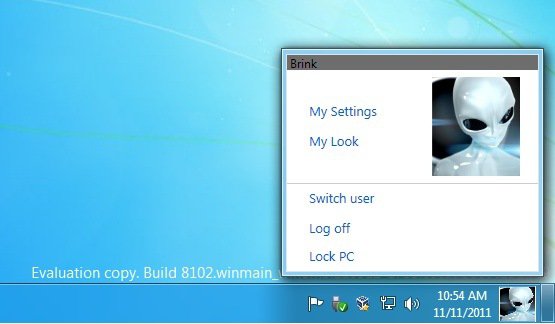
    Here's what it looks like for me.

    Name:  User-Tile.jpg
Views: 185
Size:  38.1 KB
      My System SpecsSystem Spec

  8. #8
    MD678685's Avatar

    x64 all the way!

    Join Date : May 2011
    Posts : 36
    Windows 7 Ultimate x64(!)
    UK uk england


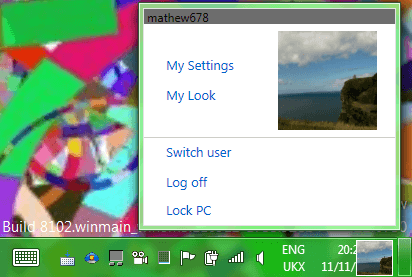
    Here's mine.


    The result when I run UserTile 7.1. It overlaps the time and date display.
    Attached Thumbnails Attached Thumbnails Click image for larger version  
    Last edited by MD678685; 11-11-2011 at 03:37 PM. Reason: Changing Screenshot
      My System SpecsSystem Spec

  9. #9
    Brink's Avatar

    Administrator


    Join Date : Jul 2009
    Posts : 1,676
    64-bit Windows 7 Ultimate & Windows 8 Consumer Preview
    USA us texas


    It appears that it may be a spacing size bug with that many notification icons in the system tray. As a test, set half of them to hide and not show to see if that may be it.

    http://www.sevenforums.com/tutorials...fications.html
      My System SpecsSystem Spec

  10. #10
    MD678685's Avatar

    x64 all the way!

    Join Date : May 2011
    Posts : 36
    Windows 7 Ultimate x64(!)
    UK uk england


    Tip   Tip
    BUG FIX: To fix this bug, turn one system icon off and then turn it back on.

    warning   Warning
    WARNING:​ If you do not turn the system icon back on, it will hide itself.

    Note   Note
    NOTE:​ This bug fix is not permanent.

    Fixed by using my own technique.
    Last edited by MD678685; 11-19-2011 at 12:53 PM.
      My System SpecsSystem Spec

Page 1 of 2 12 LastLast